
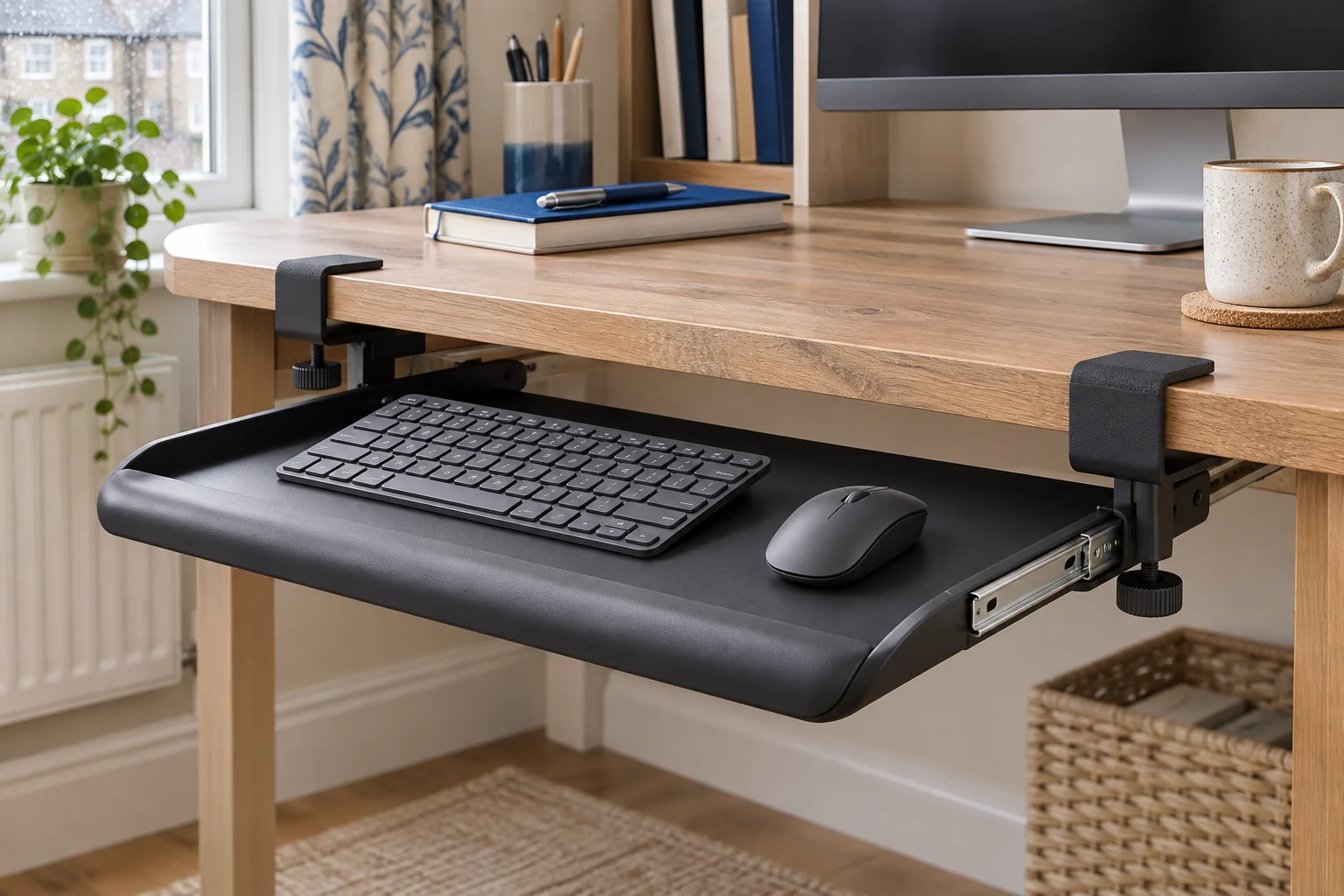
The fit comparison
Compare the published fit limits
Platform size is the work area. Clamp span is the full published width including the clamps. Measure both pads against the exact desktop edge.
Scroll across the table for every fit check.
| Model | Platform | Clamp span | Desk edge |
|---|---|---|---|
| VIVO MOUNT-KB05ES compact tray For a compact keyboard | 50.8 × 27.9 cm | 66 cm | About 1.3–3.2 cm |
| VIVO MOUNT-KB05E wide tray For a wider keyboard and mouse | 68.1 × 27.9 cm | 82.6 cm | About 1.3–3.2 cm |
Map both clamp positions on the desk
Mark the middle of your working position on the desk edge, then measure out to where the clamps will land. Check both spots from underneath. The thickness figure applies where the pads sit. A lip, curved edge or rail behind the top can leave a pad without a flat landing area even if the thickness is within range. Check the material and fixing guidance with the desk maker before clamping.
A desk that is 85 cm wide on paper may have only 78 cm of straight, clear edge between rounded corners or supports. Compare that with the clamp span as well as the platform width. Allow enough space to reach the knobs and use the maker's diagram for the contact surfaces.
VIVO MOUNT-KB05ES for compact keys
The black compact MOUNT-KB05ES measures about 50.8 × 27.9 cm, with about 66 cm across the clamps. Try a 34 cm keyboard and a 15 cm mouse area on a taped outline. They use 49 cm across the platform, leaving under 2 cm for your preferred gap and side margins. Try your actual kit, including the cable and mouse range.
For a compact keyboard
VIVO MOUNT-KB05ES compact tray
A 50.8 cm-wide pull-out platform sized for a compact keyboard and a small mouse area.
Allow 66 cm across the clamps and check your knees clear the tray and rails when it is open.
- 50.8 × 27.9 cm platform
- 66 cm including clamps
- Up to 3.2 cm desktop
Check the front edge of the desk and the tray’s position when closed. A small tray can still hit a crossbar or front drawer. Confirm pad fit and the acceptable desk thickness with the instructions for the compact model.
VIVO MOUNT-KB05E for a wider work area
The black MOUNT-KB05E has an approximately 68.1 × 27.9 cm platform and spans 82.6 cm including clamps. The maker lists about 1.3–3.2 cm for desktop thickness. Measure both positions. A drawer or bevel might leave less clearance than the outer dimension suggests.
The current Amazon UK title rounds the platform to 69 × 28 cm and gives 84 cm including clamps. The figures above follow VIVO’s model-specific specification. When space is tight, allow at least the larger 84 cm overall span and confirm the supplied revision’s drawing before ordering; do not rely on a spare centimetre at either end.
For a wider keyboard and mouse
VIVO MOUNT-KB05E wide tray
The wider platform allows more room for a full-size keyboard and mouse side by side.
Allow 82.6 cm between the outer edges of the fittings and check that both pads land flat.
- 68.1 × 27.9 cm platform
- 82.6 cm including clamps
- Up to 3.2 cm desktop
Check how far it projects in use and whether the chair can reach it without your back leaving its support. For wired equipment, leave slack through the entire slide and keep leads out of the rails. Find a place for the mouse that leaves room for its usual range of movement.
Check key height and legroom with the tray open
Measure from the floor to the underside of the tray and any rail or bracket. Compare that with your thighs at your working seat height. Check the tops of the keys as a separate measurement. If the keys move down by 6 cm but the underside is now too low for your knees, you have traded one fit issue for another.
Move the tray out and in before tightening the final cable routing. Check the chair, drawer and nearby equipment in both positions. On a sit-stand desk, also check the lowered setting and make sure the tray and clamps do not meet the chair or fixed furniture through the maker’s permitted travel.
Common questions
Will a clamp-on tray fit a bevelled desk edge?
Check the manufacturer’s instructions. Both pads need approved flat contact at the exact fitting points.
How wide does my desk need to be?
Measure the straight clear span for the clamps. The compact VIVO spans about 66 cm and the wide one 82.6 cm.
Does a tray give me more knee room?
The keys move down and the tray takes space under the top. Measure the lowest fitting at your working seat height.
Can I fit a full-size keyboard and mouse on the compact tray?
Try both on a 50.8 × 27.9 cm outline. Include the mouse range, cable exit and room at the edges.
Can a tray go on a standing desk?
Check the desk maker’s attachment guidance and clearance through the whole height range. Check cables with the tray open and closed.
Sources and selection
Sources and Amazon UK listings checked in November 2026. This guide uses published specifications and fitting guidance.