
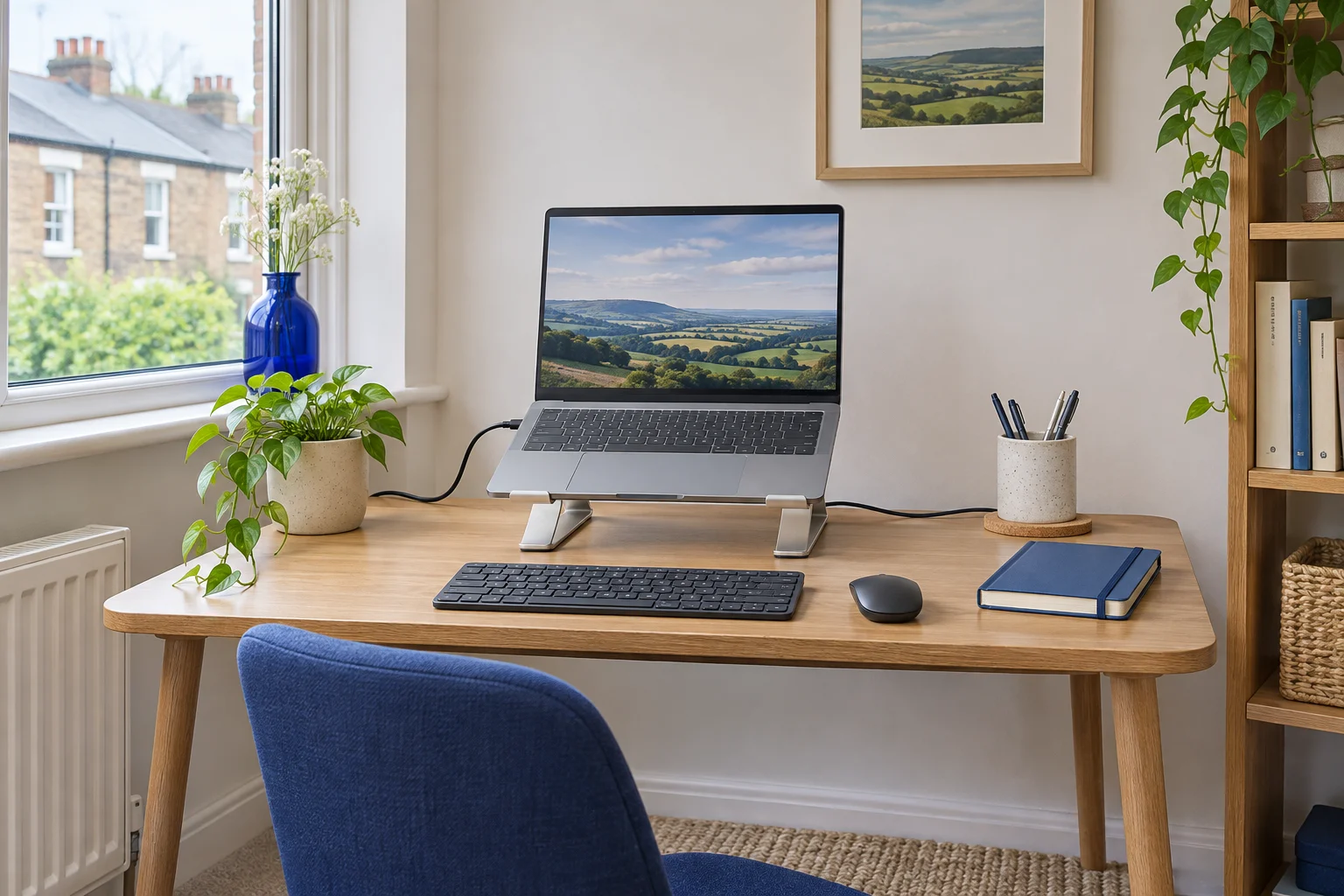
The fit comparison
Compare the published fit limits
Use these published dimensions to shortlist a fit, then measure the space you have and check the exact version before ordering.
Scroll across the table for every fit check.
| Model | Lift | Space on the desk | Setup and storage |
|---|---|---|---|
| Rain Design mStand, silver A fixed-height stand | About 15 cm fixed lift | 19 × 25.3 cm base | Fixed aluminium body. Allow room for the open screen and plug bends. |
| UGREEN 40289 folding stand A stand to pack away | About 4.7–13.8 cm, five settings | Measure with the stand open and laptop fitted | About 27 × 5.5 × 2.7 cm folded. |
Measure the laptop open and plugged in
Start with your laptop in the position you use for work. Open the screen to its normal angle and connect the charger, display lead and any hub you leave attached. Measure the case width and front-to-back depth. Look behind the hinge to see where the screen and plugs extend when the laptop is raised.
HSE illustrates using a separate keyboard and mouse when the laptop is elevated. Put both on the desk and mark the position where your hands work comfortably. Measure the depth you need from the desk front to the rearmost part of the setup. Keep the screen at a useful viewing distance and leave enough width for the mouse.
For a trial, if a stand and open screen occupy 27 cm and you reserve 18 cm for the keyboard and the reach in front of it, you have used 45 cm of a 50 cm desk. Check how the two footprints overlap in your actual layout. A plug that needs another 6 cm behind the stand might change the result. A right-angle lead may help if it is compatible with the device and leaves its connector easy to reach.
Rain Design mStand for a setup that stays out
The standard silver mStand has a rigid base about 19 × 25.3 cm and raises the laptop by roughly 15 cm. A rear opening can guide a lead behind the stand. Use the hole only if the connector fits without pulling or bending the cable tightly.
A fixed-height stand
Rain Design mStand, silver
The standard mStand uses a rigid aluminium body and a rear cable opening. Its fixed lift suits a laptop that stays in the same position most days.
The base is about 19 × 25.3 cm. Check that your laptop sits on the pads with the lid open, and allow depth for its case and connected plugs.
- 19 × 25.3 cm base
- About 15 cm lift
- Fixed angle
Check where your laptop rests on the pads and how the front lip meets the case. Trial the chosen lid angle and plug positions. The open screen can sit farther back than the base. Measure your clearance to the wall or a shallow shelf at that point. If you intend to slide the separate keyboard below the stand, check its height, width and lead before relying on that space.
UGREEN 40289 for a desk you clear
The silver 40289 folds into a bundle about 27 × 5.5 × 2.7 cm. UGREEN lists five support settings from roughly 4.7 to 13.8 cm. The height at the hinge and the top of the open display varies with the laptop and stand setting.
A stand to pack away
UGREEN 40289 folding stand
The silver 40289 folds into a narrow bundle and has five raised positions. It suits a desk or table you clear between sessions.
Trial the laptop’s support points, front lip, vents and cable exits at the chosen setting. Diagonal screen size alone leaves those details unresolved.
- Five height settings
- About 4.7–13.8 cm listed lift
- 27 × 5.5 × 2.7 cm folded
Open it fully on a flat surface and set both sides to the same position before placing the laptop. Check the pads and support rails under your specific case. Keep vent openings clear, confirm the front lip catches the case securely and check the side connectors at the angle you prefer. If the laptop will move each evening, include the folded stand and the lead in a shared-room kit.
Check the screen before choosing the highest lift
A taller stand can help when the screen sits low, but the laptop’s hinge and the desk depth also affect the result. Place the screen where you can read it without leaning forwards. Check that the mouse is within easy reach and use a lower lift or adjust the hinge if the image is too high or far away.
Before choosing either type, work through a short task with the screen, leads and keyboard in their intended positions. Use the touchpad or webcam only if you still need it in that position. Check whether opening the lid changes the centre of gravity and whether the stand stays put when you use a cable or press the power button.
Measure the contact area and the actual laptop’s weight if it is unusually large or heavy. Follow the published compatibility information for the exact model, and ask the maker if the pads, overhang or weight are near its limit. Use our desk-depth guide if the screen and input devices compete for space.
For a stand you put away or carry, compare folding laptop stands by lift and packed shape.
If you use an external monitor and need to store the laptop upright, check a vertical stand against its closed case.
Common questions
Can a laptop stand save space on a shallow desk?
Measure the opened laptop, stand and plugs together. A stand can make a useful place for the separate keyboard if both devices and the mouse still fit at a comfortable reach.
Which laptop dimensions should I check?
Measure the case width, depth and thickness at the front lip. Check its weight, support pads, vent openings and plug positions at the angle you will use.
Do I need a separate keyboard?
When you raise a laptop for screen height, a separate keyboard and mouse let you place the input devices independently. Leave space for both in your trial.
Is a fixed or folding stand better for a shared room?
A folding model is easier to store when the table needs clearing. A fixed stand can suit a setup that stays assembled and already fits the available depth.
How high does the mStand raise a laptop?
The standard model lifts the laptop by roughly 15 cm. The actual screen position also depends on the laptop case and lid angle.
Sources and selection
Specifications and Amazon UK variants checked in November 2026. The comparisons use published dimensions and fitting guidance.