
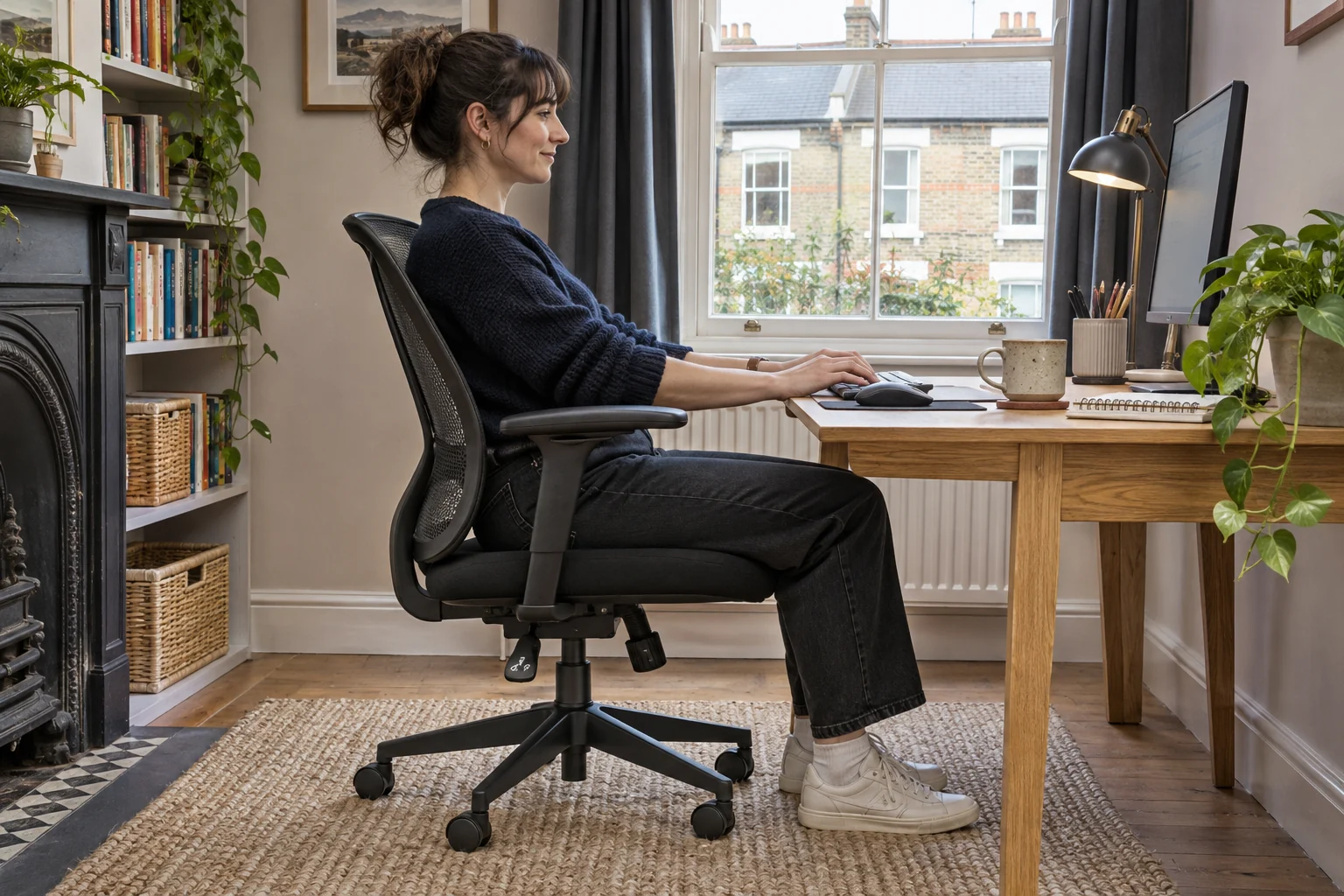
Find what moves while you type
Sit with your feet supported and move the keyboard close enough to type with relaxed shoulders. Watch whether the backrest moves alone or the seat and back move together. Some chairs are designed to follow you as you lean back. If the chair slowly loses seat height, rocks from the base or moves with a loud clunk, that needs a different check from ordinary recline.
Use the model manual to identify the controls. A lock selects a position or limits travel. Tension changes how much effort it takes to tilt. If a manual shows a particular release motion, follow it while seated with room around the chair. Different mechanisms can release in different ways.
Weight-activated tilt on Steelcase Series 1
The selected Onyx Series 1 listing describes a weight-activated tilt mechanism. Use Steelcase’s adjustment guide for the controls on the exact chair. Check the available upright setting and any additional resistance setting before assuming the mechanism needs tightening.
A lower seat with a depth slider
Steelcase Series 1, Onyx
The UK Series 1 specifications list a 41 cm starting seat height and a usable depth range of 42–48 cm. A slider lets you trial the shorter setting.
Steelcase uses a standardised measuring method. Try the seat with your own footwear if you are near the minimum, and check armrest and castor fit at your desk.
- 41–52 cm seat height
- 42–48 cm usable depth
- Depth slider
Set the seat and back support before checking recline. If two people use the chair, try it with each person at their normal desk position. A chair that follows one person comfortably can feel more mobile to the other.
Tilt tension and forward lock on Steelcase Amia
Steelcase lists adjustable tilt tension and a back lock in the forward position for Amia. The lock and tension control do different jobs. Use the manual to find the supported lock position, then set resistance in small steps when using free tilt. Test the lock from the position indicated in the instructions.
Seat slider and adjustable arm spacing
Steelcase Amia, black
Steelcase publishes a 43–49.5 cm usable seat-depth range and a 43–54 cm seat-height range for Amia under its UK measuring method.
Measure at your setting, including usable pan width and inside space between the arms.
- 43–54 cm seat height
- 43–49.5 cm usable seat depth
- 49 cm listed seat width
For example, if free tilt feels fine when reading but the chair moves away from the keyboard as you type, try the supported forward lock while typing. If a setting will not engage, check the instructions before assuming the lever or cable is broken.
Recheck the desk and recognise a fault
Check that the chair fits close enough to the keyboard without the armrests or seat hitting a rail. Reach forward and return to your working position several times. If you have to perch on the front edge, adjust the seat depth and desk position before changing more tilt settings.
If a documented lock slips, the seat shifts sideways or fixings appear damaged, take the chair out of use and ask the maker or refurbisher about service. Use the model number and describe which part moves. Keep hands clear of the mechanism and leave internal adjustments to the service provider.
Common questions
Is it normal for a chair to move back as I lean?
Many chairs have a free-tilt mode. Check the manual to see how yours should respond and what locks are provided.
What is the difference between a lock and tension?
A lock holds or limits a position. Tension changes how much effort it takes to recline.
Can I lock any chair at any angle?
Use only the positions supported by that mechanism. Some chairs lock only in the forward position.
Why does it tilt when my partner uses the same setting?
Their seated load and position can change how the mechanism feels. Try each user’s settings at the desk.
When should I stop using it?
Stop if an engaged lock slips, the seat shifts abnormally or a structural part appears damaged. Ask the maker about service.
Sources and selection
Sources and Amazon UK listings checked in November 2026. Fit examples use published specifications.