
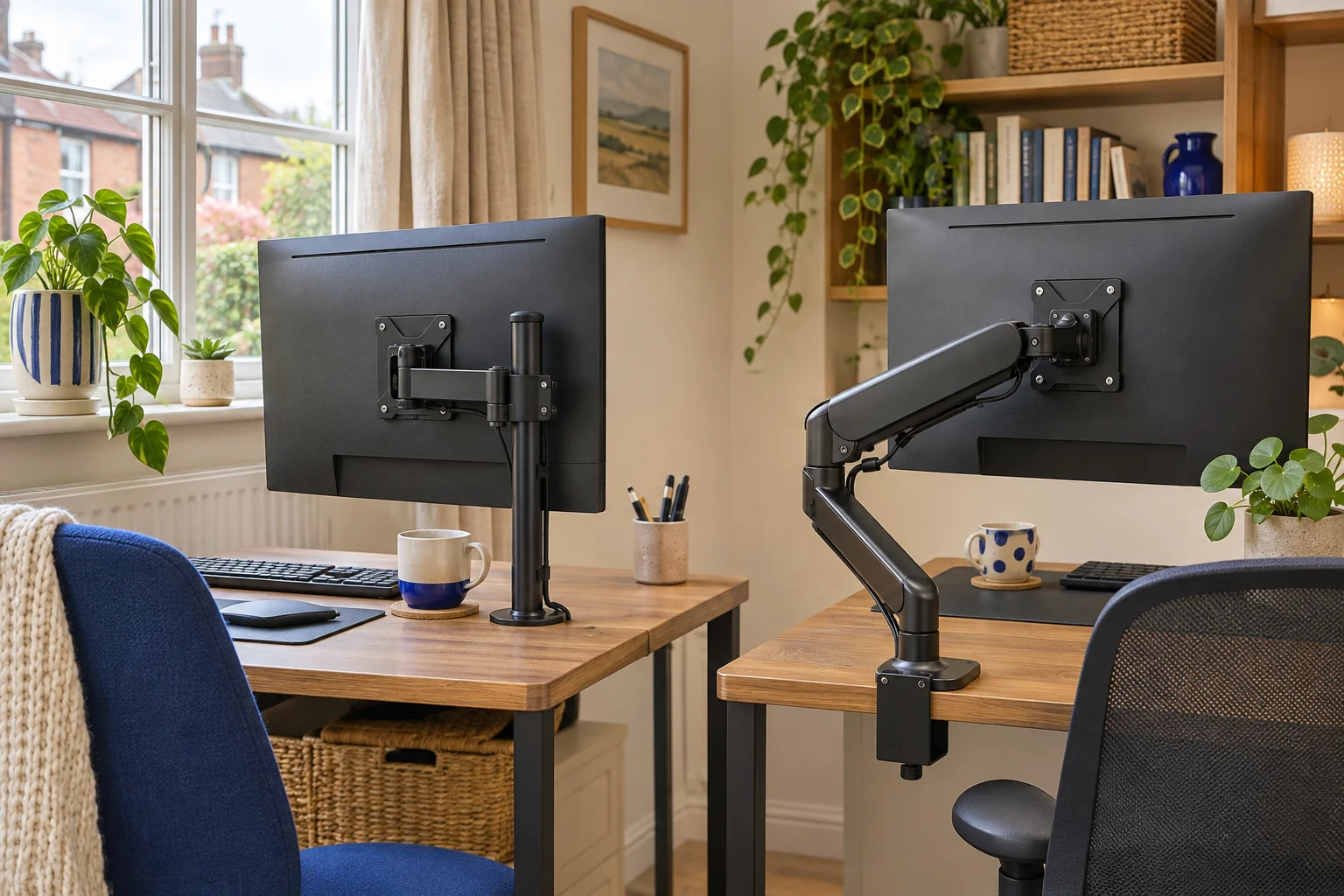
The fit comparison
Compare the published fit limits
Compare a tool-locked collar with a gas-assisted lift, then check the screen geometry and approved desk fitting.
Scroll across the table for every fit check.
| Model | Vertical movement | Screen fit | Load |
|---|---|---|---|
| VIVO STAND-V001 Set the height and leave it | Tool-locked collar height | 13–32″ standard; up to 38″ ultrawide | Up to 22 lb (about 10 kg) |
| Invision MX200 An everyday adjustable screen | Counterbalanced gas-assisted lift | 19–32″ | 2–9 kg |
Choose how often the screen needs to move
Write down the two or three screen positions you use most. You may keep it at one height all week and turn it occasionally. Or you may lower it for one person, lift it for another and bring it closer for calls. Those are different jobs. Check which joints provide height, reach, tilt and swivel. The word adjustable does not tell you whether a tool or a supported lift is required.
Mechanical designs vary. A rigid arm with a tool-locked collar changes height by moving the collar up the pole, while a mechanical spring arm can also be counterbalanced. In this comparison, mechanical refers to the tool-locked VIVO pole mount. The Invision uses gas-assisted lift for repeated movement.
VIVO STAND-V001 for a set-and-leave height
The STAND-V001 sets height along a 432 mm pole. Its published rating is up to 22 lb, about 10 kg, and the regular-screen range is 13–32 inches. The pole height describes the pole, so measure the attainable centre of the VESA plate and the top of the screen. Follow the manual if changing the collar position with a screen fitted.
Set the height and leave it
VIVO STAND-V001
A mechanical pole arm gives one screen reach and swivel without a gas spring to balance. It suits a working position you adjust occasionally rather than several times a day.
Support the screen before releasing the height collar. The website and manual differ slightly on maximum clamp thickness; confirm your supplied instructions near the limit. Curved screens need model-specific confirmation.
- 13–32″ standard; up to 38″ ultrawide
- Up to 22 lb (about 10 kg)
- VESA 75 × 75 or 100 × 100 mm
A locked height can suit a display you rarely move vertically. Try reaching the ports and check whether the elbow can fold on your desk. If you need to move the screen often, see whether the required tool and handling steps fit the way you work.
Invision MX200 for frequent height changes
The MX200 is specified for a 19–32 inch screen weighing 2–9 kg. Set the tension according to the exact instructions and check the fitted load, including adapters. A screen below the minimum can rise rather than hold position. A screen above the maximum can drop or strain the fitting.
An everyday adjustable screen
Invision MX200
The gas-assisted arm suits a single compatible screen you move between tasks. It frees the desk from a broad stand and gives you a choice of edge clamp or through-desk fixing.
A centred clamp can leave the elbow in the way of the wall. Check whether the clamp can sit to one side while keeping the screen centred. Match the fitting diagram to the base supplied.
- 19–32″
- 2–9 kg
- VESA 75 × 75 or 100 × 100 mm
Compare the working positions by tracing the joint sweep. Check the back wall, shelf and cable path through the full movement you plan to use. A counterbalanced arm is easiest to use when the screen can reach the wanted position without pushing on a connector or forcing the joints.
Check both choices against the same desk
Measure the fixing, material, underside and cable bend space before comparing motion. A pole mount can be more suitable where the screen stays close. A gas arm can be more practical when the viewer or desk position changes. Neither style alone guarantees reach or stability. Check the actual screen weight and geometry, the manufacturer’s fitting guidance and the space required by the elbow.
Common questions
Can a mechanical arm move vertically?
It depends on the model. On a tool-locked pole, follow the manual to support the screen and reposition the collar.
Why do gas arms have a minimum weight?
A counterbalance needs enough load to hold the intended position. Check the fitted weight against both limits.
Does a pole height tell me screen height?
Use the VESA centre at its approved position and add the distance from that centre to the screen’s upper edge.
Which style works for a shared desk?
Compare the two people’s actual screen positions. A counterbalanced arm can make frequent changes easier within its rated range.
Does a gas arm need more space behind the desk?
It depends on the joint geometry. Draw both the folded and extended positions and check the rear gap.
Sources and selection
Sources and Amazon UK listings checked in November 2026. This guide uses published specifications and fitting guidance.