
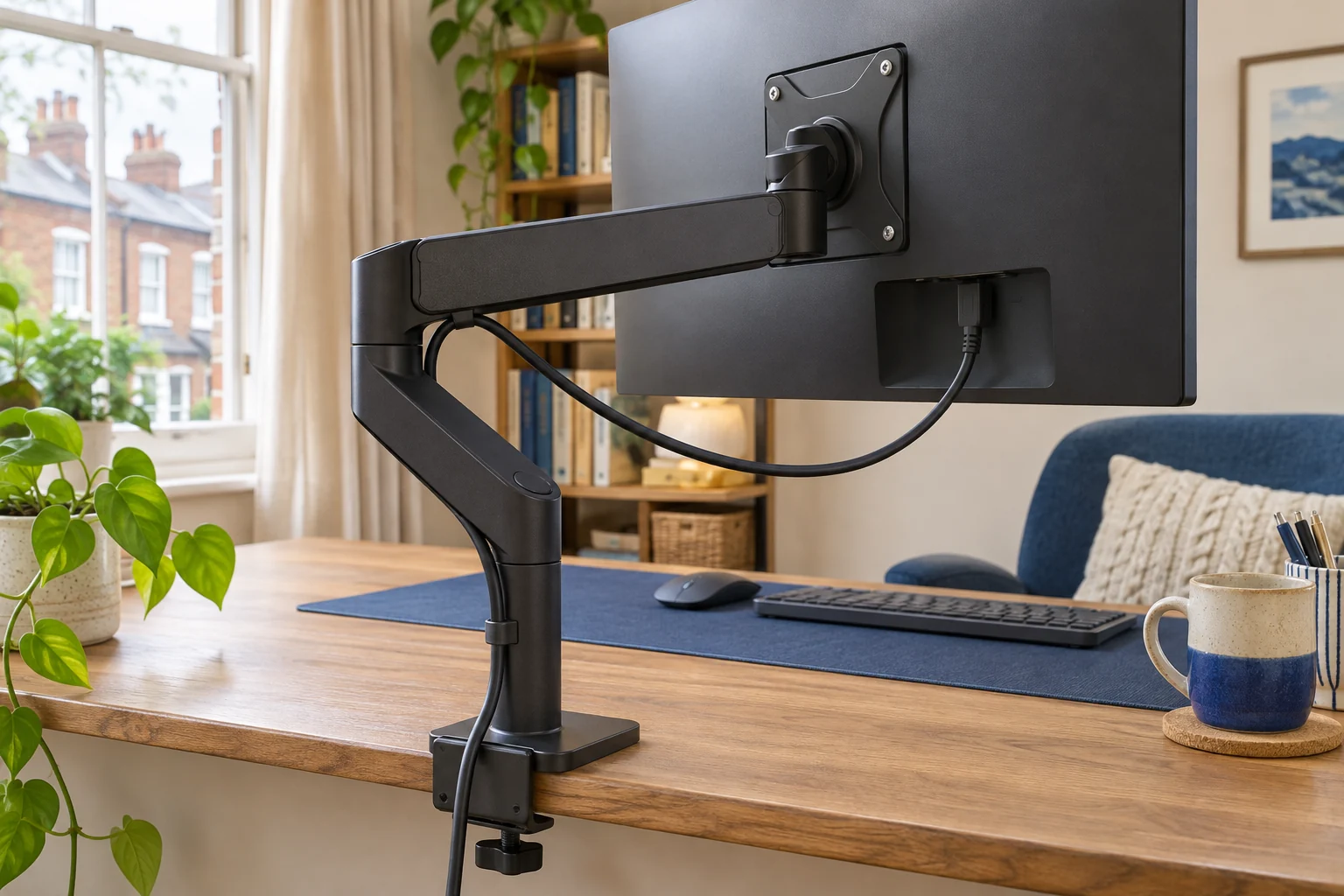
Find which section runs out of cable
Start at the monitor port and follow one lead all the way to the desk. Look at three places in particular: the plug and first bend, the elbow, and the point where the cable leaves the arm. A long lead can still pull at the monitor if a clip traps the slack farther down. Move the arm slowly within its approved range and stop before the lead goes taut.
Check the working position that puts most distance between the port and its first fixed point. It may be full reach, the highest setting or portrait orientation. Use a loose piece of string to estimate the path with a gentle bend at the plug. Leave the connector enough room to be unplugged without pulling the display towards you.
Use the arm’s channels without binding a joint
The Invision MX200 has an articulated route for the display leads. Follow its manual for the cable covers and leave movement where a lead crosses a hinge. Lay the cables into the channels after checking their reach. Keep the power and signal connectors clear of the cover and the moving parts.
An everyday adjustable screen
Invision MX200
The gas-assisted arm suits a single compatible screen you move between tasks. It frees the desk from a broad stand and gives you a choice of edge clamp or through-desk fixing.
A centred clamp can leave the elbow in the way of the wall. Check whether the clamp can sit to one side while keeping the screen centred. Match the fitting diagram to the base supplied.
- 19–32″
- 2–9 kg
- VESA 75 × 75 or 100 × 100 mm
Move the screen towards the wall and check where the slack goes. A loop that looks fine when the arm extends can fold into the elbow when it closes. If a particular lead is stiff, leave it outside the channel where the maker allows and guide it clear of the joint.
Sleeve a quiet section of the route
The D-Line Cable Tidy Tube has a side opening and a listed 26 mm inner diameter. It can group compatible leads after they leave the moving joints. Measure the relaxed bundle and keep the tube clear of the elbow. A thick sleeve across the joint can make the bend stiffer and transfer movement back to the connectors.
For a shorter, wider bundle
D-Line Cable Tidy Tube 1.1 m, black
The pre-split flexible tube gives short bundles a wider sleeve that opens from the side.
Check the 26 mm inner diameter against the relaxed bundle. Use only where the tube can bend freely.
- 1.1 m long
- 32 mm outer diameter
- 26 mm inner diameter
If the desk also rises and lowers, check the arm and the desk separately first. Then try the arm’s longest normal position with the desk at the highest intended setting. Keep spare cable clear of the chair and moving frame at the lowest setting.
Verify every position before closing the covers
Test left and right sweep, the folded position and any approved tilt or rotation you use. Look for the plug moving, a lead straightening or a loop entering the hinge. Correct the route before closing clips. If the cable is still too short, use a compatible longer lead approved for the equipment and recheck its bend. Replace a damaged lead rather than trying to hide it in a cover.
Common questions
How much slack does a monitor arm need?
Measure the longest intended route and keep relaxed bends near the plug and every moving joint.
Why does the cable pull even when it is long?
A clip may trap its spare length on the other side of a joint. Check each section separately.
Should I tie the cables tightly to the elbow?
Keep enough movement for the whole joint travel and follow the arm maker’s routing instructions.
Can I run a sleeve through the moving elbow?
Check the maker’s routing and the sleeve’s bend. Use a sleeve away from a hinge if it stiffens the joint path.
Which position should I test first?
Start with the position that gives the longest route. Also check the folded position, when extra length can enter a joint.
Sources and selection
Sources and Amazon UK listings checked in November 2026. This guide uses published specifications and fitting guidance.