
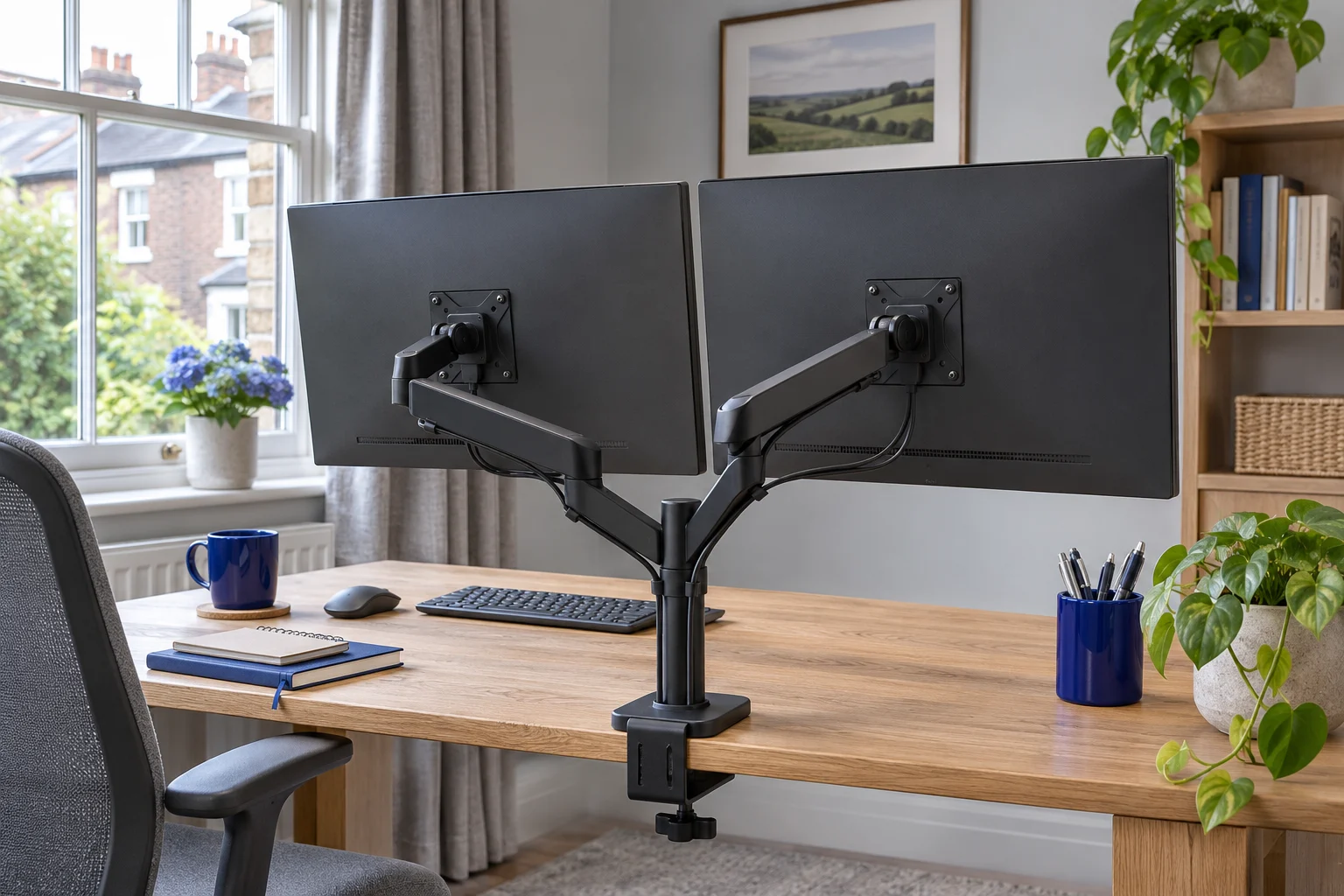
The fit comparison
Compare the published fit limits
Compare the published fit limits. Match the exact screen, supplied mount revision and desk before choosing. All use 75 × 75 or 100 × 100 mm VESA fixings.
Scroll across the table for every fit check.
| Mount | Screens | Per screen | Movement | Attachment |
|---|---|---|---|---|
| Invision MX400 Two independently moving screens | 19–32″ each | 2–9 kg each | Independent gas-assisted arms | Edge clamp or through-desk |
| VIVO STAND-V002 Two screens that mostly stay put | 13–30″ each | Up to 22 lb (about 10 kg) each | Shared main arm height; individual tilt | Clamp or included grommet |
Start with the screen you use most
Two monitors do not have to form a perfectly symmetrical pair. If you spend most of the day on one screen and glance at the second for reference, place the main screen in front of your normal seated position and angle the second towards it. If you use both equally, try a centred join and see whether you can read both without repeatedly turning your whole body.
Do this trial using the original stands before ordering a mount. Mark the intended screen faces, outer corners and keyboard position with removable tape. A shared-base arm should reproduce that layout while leaving room for the elbows, plugs and mouse. The desk must also be wide enough for the screens to stay clear of nearby shelves and doors.
Choose independent movement or a shared main height
Invision MX400: two gas-assisted arms
The MX400 gives each screen its own moving arm. That matters when the monitors differ in size, have VESA holes at different heights, or need different viewing angles. Each screen must individually meet the 2–9 kg load range. One heavy monitor and one light monitor do not average into a compatible pair.
Two independently moving screens
Invision MX400
Two gas-assisted arms share one attachment. This is the adjustable option for two compatible everyday screens when each display needs its own position.
Each monitor must weigh 2–9 kg without its stand. Confirm the clamp diagram for the base supplied; the arm sweep and desktop strength matter as much as the thickness.
- 19–32″ each
- 2–9 kg each
- VESA 75 × 75 or 100 × 100 mm
Its published 140–400 mm height range and 530 mm reach are useful planning dimensions, but not a guarantee that both displays can occupy every position within that envelope simultaneously. The two assemblies may meet each other, a wall or the backs of the screens. Compare the joint layout with the positions marked on your desk.
VIVO STAND-V002: a mechanical crossarm
The V002 is the simpler choice when both screens will remain in a largely fixed arrangement. The main crossarm shares one height on the pole, with adjustment at the individual heads. This can suit similar screens with similarly placed mounting holes. It is less flexible when one monitor needs a substantially different centre height.
Two screens that mostly stay put
VIVO STAND-V002
A shared pole and mechanical crossarm hold two screens without spring tension adjustment. Consider it for a stable side-by-side layout with similar screen heights.
The exact V002 is rated for 13–30 inch screens, up to 22 lb each. The main arm height is shared. Check casing widths against the 737 mm published span and confirm the clamp instructions at the thickness limits.
- 13–30″ each
- Up to 22 lb (about 10 kg) each
- VESA 75 × 75 or 100 × 100 mm
Check the exact model suffix. This comparison uses the black STAND-V002, rated for 13–30 inch screens. Other VIVO models on the same manufacturer page have different size envelopes. Do not apply a sibling model’s 32-inch or ultrawide specification to this one.
Measure casing widths, not just diagonal inches
The diagonal says little about the combined width of two different aspect ratios. Look up each monitor’s width without its stand, or measure the casing. If two screens are each 61 cm wide, the straight side-by-side arrangement is approximately 122 cm across before you add a gap or account for angled positions. That is a layout example, not a specification for a particular monitor.
Also record the horizontal distance between the proposed VESA centres. A mount’s published span needs to cover that separation at your chosen angle and reach. The V002 publishes an approximately 737 mm arm span; compare the actual centre positions and the usable articulation, not the outside width of both screens alone.
Portrait mode changes the height as well as the width. Leave room to rotate a screen without striking the desk or its neighbour. A central pole with limited independent height adjustment may require you to detach or move one display before rotation. For frequent switching, independently moving arms are often easier to arrange.
Different screens need different measurements
Record the bare weight, VESA pattern, casing dimensions and mounting-hole position for both monitors. A pair of 27-inch screens can still have visibly different top edges when their holes sit at different heights. Our VESA guide and monitor-weight guide help establish the individual fit before you compare the pair.
A single clamp carries the whole installation
A shared base reduces the number of attachment positions, but puts both screens and the mount through one desktop fixing. Check that the furniture maker permits that local load. Measure below the proposed clamp: a rail, drawer or cable tray can block the lower jaw. The clamp-clearance checklist explains the measurements a thickness-only listing misses.
If a central rail prevents a suitable shared attachment, two approved fixing positions may make two single arms more practical. That does not establish that a weak top is safe: each position still needs approval, and the total desk load still includes both mounts and displays.
Against a wall, trial both elbows together
Sketch the arms in their folded and extended positions. One screen may be comfortable with its elbow to the left, while the other needs to fold to the right. A shared central base can make that movement awkward on a shallow desk. Moving the whole base off-centre may help, but confirm that both screens still reach their target positions.
For a narrow desk, stacked monitors can reduce width, at the cost of a higher secondary screen. Check the viewing position before changing the layout: a vertically stacked arrangement can be unsuitable if you need to read the upper screen continuously.
Fit the pair in the maker’s order
Follow the supplied installation sequence, support the screens while setting mechanical joints, and adjust each spring for its own display. Route separate cable loops so moving one monitor does not tug the other’s leads. Check the final arrangement at its normal working position and every intended movement extreme, including standing height if the desk moves.
If you are adding a third screen, measure all three housings and the combined desk load. For different screen sizes, calculate each plate height from the active picture edge.
Common questions
Does a 9 kg dual arm mean 9 kg in total?
It depends on the specification. The MX400’s 2–9 kg range is per arm, and the V002’s 22 lb limit is per screen. Both individual limits and the desktop’s complete installation load must be satisfied.
Can I use two different-size monitors?
Possibly, if each fits the mount and the pair can reach your layout. Independent moving arms make it easier to account for different casing heights and VESA-hole positions.
Can I mount two 32-inch monitors on the V002?
The exact STAND-V002 in this guide is published for 13–30 inch screens. Do not substitute the limits of another VIVO model. Choose a model explicitly approved for the actual screens.
Is one dual arm more stable than two single arms?
There is no universal answer. Desk construction, attachment, reach, joint design and screen weight all affect movement. A shared clamp concentrates the installation at one point; two singles need two suitable points.
Will a dual arm work on a 120 cm desk?
Measure the actual screen widths and desired angles first. The screens may overhang even when the bases fit. Check nearby furniture, the movement envelope and the desktop’s attachment approval.
Sources and selection
Specifications and Amazon UK configurations reviewed in November 2026. Recommendations compare published fit information. Check the current listing and instructions supplied with the exact model.