
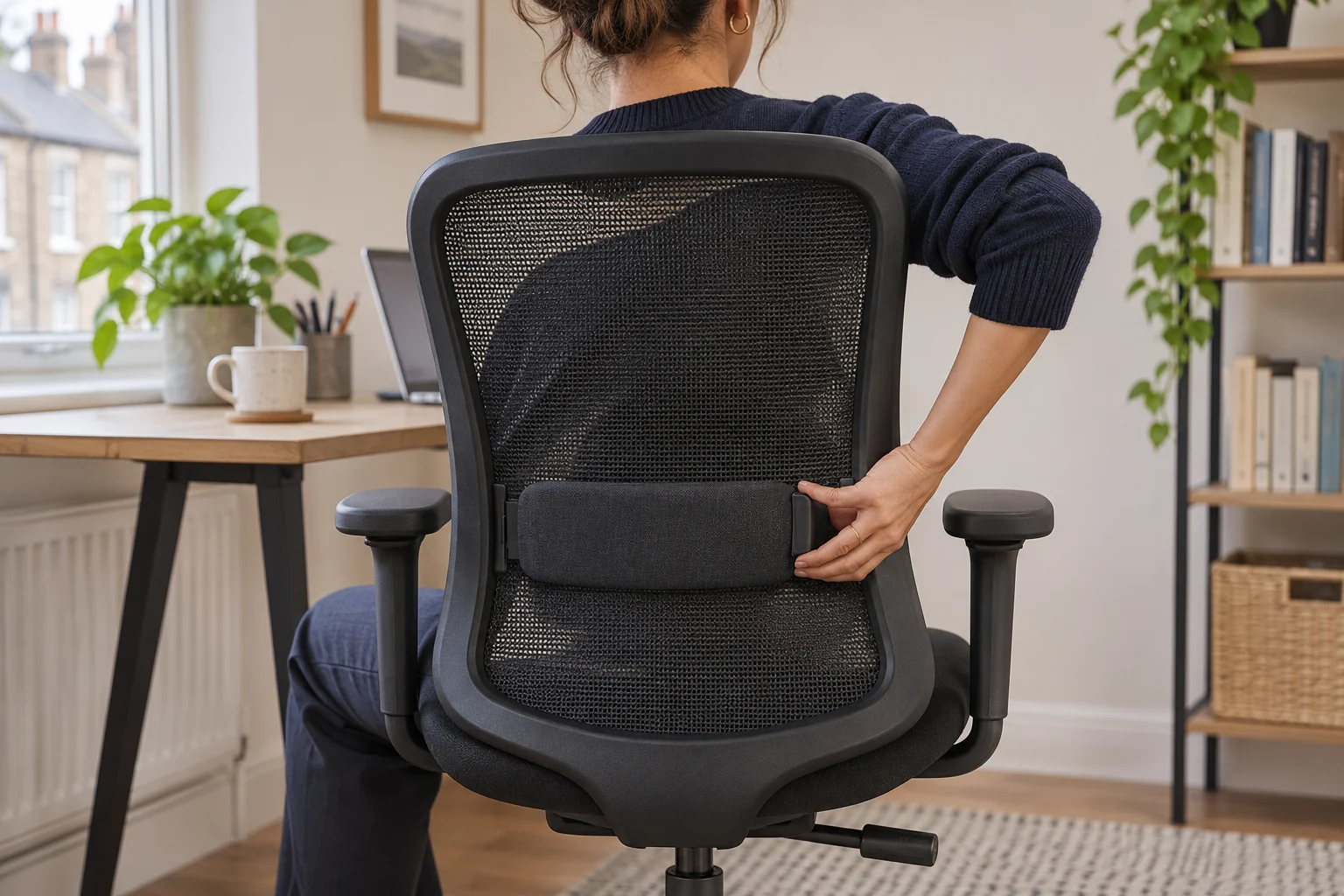
The fit comparison
Compare the published fit limits
Both models let you position the support. Compare how the pad’s depth responds while you work.
Scroll across the table for every fit check.
| Model | Position | Depth response | Fit check |
|---|---|---|---|
| SIHOO M18, black Manual pad position and depth | Pad moves up or down | Manual depth adjustment | Start shallow and adjust in small steps. |
| SIHOO B300 Pro, black For adjustable back and seat | Height-adjustable backrest and lumbar | Spring-assisted depth movement | Try the support upright and reclined. |
Start with the seat and backrest
Move the seat until your feet are supported and your thighs have space at the front edge. Sit back so the support can meet your lower back without forcing you to slide forward. The HSE workstation checklist includes good support for the small of the back. Use that as a contact check, then see whether you can reach the keyboard without leaning towards the desk.
Adjust one thing at a time. Start with the support lightly contacting your lower back. Move it up or down until it meets the right area, then change the depth if the chair allows it. A firm point against one part of your back is a reason to try a different setting. Keep your feet and forearms in the same positions while comparing settings.
SIHOO M18 for a manually positioned pad
SIHOO describes the black M18 pad as adjustable vertically and forwards or backwards. That lets you find the right contact point before changing the amount of pressure. Its upholstered seat and mesh back are separate fit checks. Sit against the backrest and use the pad’s depth control in small steps.
Manual pad position and depth
SIHOO M18, black
The M18 has a mesh back, a padded seat and a lumbar support you can adjust up and down or forwards and backwards.
Set the pad height before adding pressure. Check whether your back can rest evenly against the chair while you type.
- Adjustable lumbar height
- Adjustable lumbar depth
- Padded seat and mesh back
If moving the pad forward changes where you sit on the seat, reset it and check whether a shallower setting keeps you supported without crowding your thighs. Try the adjustment while wearing the layers you normally work in.
SIHOO B300 Pro for spring-assisted contact
The selected black B300 Pro has a height-adjustable backrest and a spring-assisted lumbar unit that can move as you change posture. Try the backrest height before judging how the pad follows you. SIHOO also lists 5 cm of seat-slider travel. Confirm where the shortest and longest settings sit with the backrest where you want it.
For adjustable back and seat
SIHOO B300 Pro, black
The B300 Pro has a seat-depth slider and a backrest that can be adjusted for height.
Ask for the shortest and longest usable depths measured with the backrest set as you will use it.
- 5 cm stated seat travel
- Height-adjustable backrest
- Multi-position armrests
Compare light typing and a small recline. The point where the support meets your back can move as the chair tilts. A spring-assisted support may feel different under different users. If sharing, try both people at their own seat and backrest settings.
Try the chair through a normal task
Keep the mouse close and type for a short period with your back supported. Then reach for an item you use regularly and sit back again. See if you return to the same point on the support or need to reposition. Check the settings again after a seat-depth or armrest change.
Before buying, ask the seller for the pad’s usable height range if the listing gives only a feature name. A range measured from the compressed seat or a labelled drawing is easier to compare than a count of adjustment directions. Keep the chair’s model number with any support or parts query.
Common questions
What is adjustable lumbar support?
It lets you change where the chair meets your lower back. Some designs move in height, some in depth, and some move as you recline.
Where should the lumbar pad sit?
Start where it gently meets the small of your back with your seat set for supported feet and thighs.
Is adaptive support always adjustable in height?
Check the exact chair. Movement with the sitter and a separate height adjustment are different features.
Why does the support feel too firm?
Try a shallower setting or check that the pad is at the right height. See whether you can sit back without being pushed forward.
Should I adjust the seat or the backrest first?
Set seat height and depth first. Then place the lower-back support and check contact during your normal tasks.
Sources and selection
Sources and Amazon UK listings checked in November 2026. Fit examples use published specifications.