
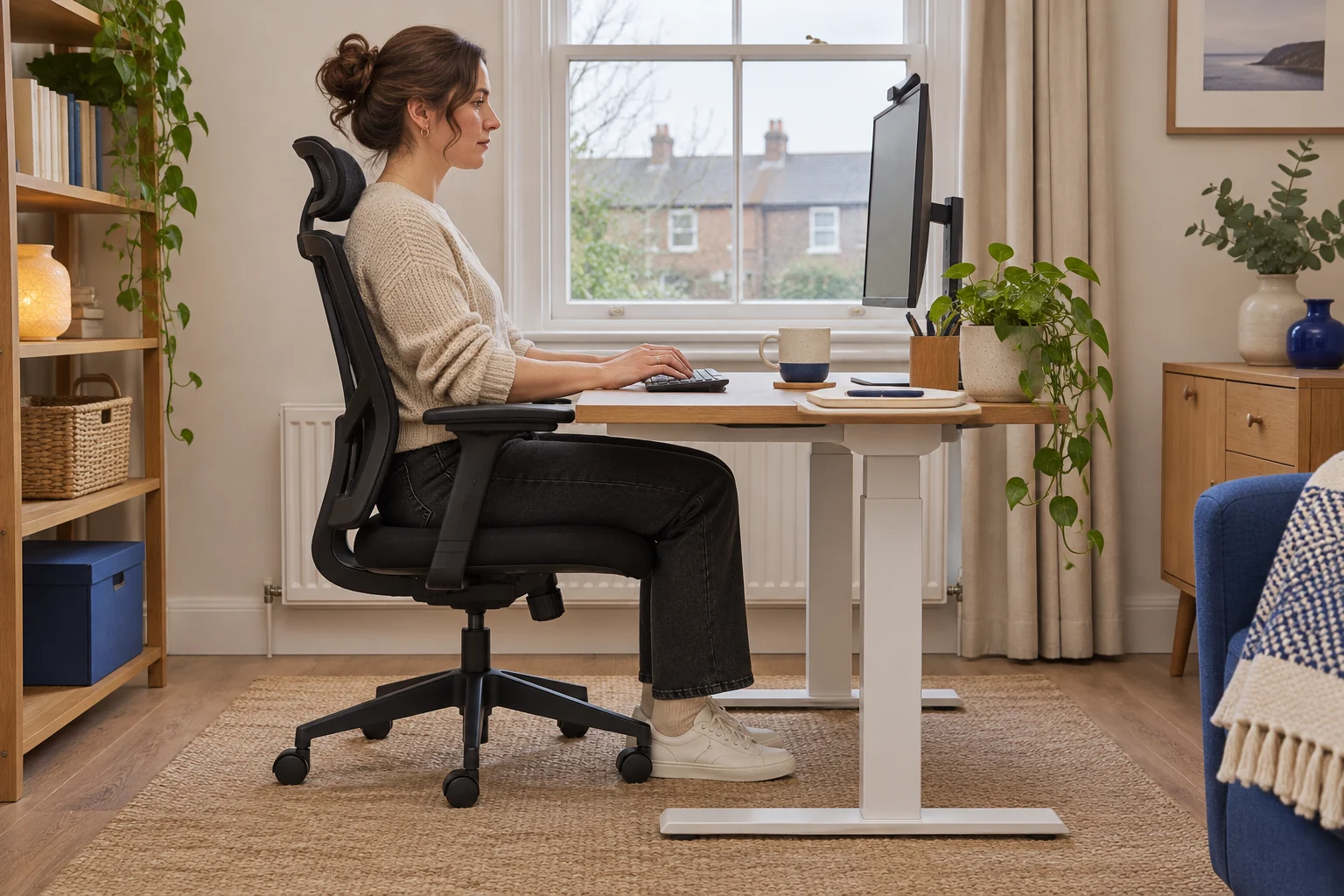
The fit comparison
Compare the published fit limits
One listing is frame-only and one includes the desktop. The worked Maidesite minimum assumes a 25 mm top and no other height adjustment.
Scroll across the table for every fit check.
| Model | Minimum | Desktop | Fit check |
|---|---|---|---|
| Maidesite dual-motor frame, black For a lower finished top | 62 cm frame only | Separate top. 64.5 cm minimum with a 25 mm top. | Confirm top dimensions, weight and fixings. |
| FlexiSpot E1 Plus 100 × 60 A one-piece top | 73.5 cm listed | 100 × 60 cm top included | Confirm the assembled minimum on the white-top version. |
Measure at seated keyboard height
Set the chair where you can sit well back with supported feet. Relax your shoulders and bring your hands to the keyboard. Measure from the floor to the tops of the keys at a comfortable position. Subtract the height of the keyboard from its feet to the keytops to estimate the surface you need. For example, keys that work at 68 cm on a keyboard that adds 2 cm suggest a 66 cm worktop.
Take the measurement with the footwear and floor surface you use at home. Try a stable surface around the target if you can. Check that you can use the mouse without reaching and move both legs underneath. Check standing key height separately. A low desk that meets the seated target still needs enough rise for the standing position.
Allow for the top on a low frame
The selected black Maidesite dual-motor frame lists 62–125 cm without a top. A 25 mm top would give a theoretical finished range of 64.5–127.5 cm if there is no other spacer or floor adjustment. Confirm the minimum on the assembled desk. Use the supplier’s drawing and instructions for the exact revision, top size, weight and fixing lengths.
For a lower finished top
Maidesite dual-motor frame, black
This black frame-only listing gives a 62–125 cm adjustment range before adding a worktop.
Add the thickness of an approved top. Confirm the exact frame revision and desktop requirements before assembly.
- 62–125 cm frame range
- Top sold separately
- Three-stage lift
Mark the legs, feet and crossbeam on the floor before you order. A low frame can still be too broad for the room. Locate the frame rails under the top and measure down from the top to the lowest part in the knee path. At the lowest working height, leave room for movement and check clearance around the control panel and any tray.
Compare the complete desk’s finished minimum
The selected FlexiSpot E1 Plus has a 100 × 60 cm top and a listed height range of 73.5–118 cm. Confirm the published measurement applies to the assembled white-top variant. A finished minimum around 73.5 cm can work if your keyboard height and chair suit it. It sits above a 66 cm worktop target by 7.5 cm.
A one-piece top
FlexiSpot E1 Plus 100 × 60
The 100 × 60 cm E1 Plus version pairs a single-piece white top with four memory settings.
The seller’s height range starts at 73.5 cm. Match that minimum to your seated keyboard target and confirm the assembled floor-to-top range if you are close to either limit.
- 100 × 60 cm top
- 73.5–118 cm listed height
- Four presets
If a desk is only slightly high, try raising the chair with stable foot support and recheck knee clearance. If your shoulders are still raised, or a rail catches your thighs, try a lower worktop rather than forcing the chair to compensate. A keyboard tray may change both key height and available space underneath. Measure both before deciding.
Trial both ends of the range
Check the standing position with your normal footwear and keep screen height separate from keyboard height. At your lowest and highest settings, check chair arms, shelves and the route to the wall socket. Follow the desk maker’s travel instructions, then set presets once you have tried both positions for normal tasks. See the standing desk cable guide for the low and high checks.
If you already own a top, compare frame and worktop fit before choosing the low frame.
Common questions
How low should a standing desk go for a shorter person?
Measure your seated key height with both feet supported and subtract keyboard height. Compare the result with the finished minimum.
Does a frame range include the top?
Check the seller’s reference points. Add the approved worktop thickness when the range is frame-only.
Is a footrest enough if the desk sits high?
Try it if it gives stable support and leaves room for your thighs, with your shoulders relaxed when you type.
Do three-stage legs always go lower?
Check the exact published minimum. Stage count alone does not tell you the assembled height.
What if two people share the desk?
Measure seated and standing key height for each person, then test all the intended presets and their clearances.
Sources and selection
Sources and Amazon UK listings checked in November 2026. This guide uses published specifications and fitting guidance. The two ranges come from the selected Amazon UK listings. Confirm whether the figure you use includes the worktop.