
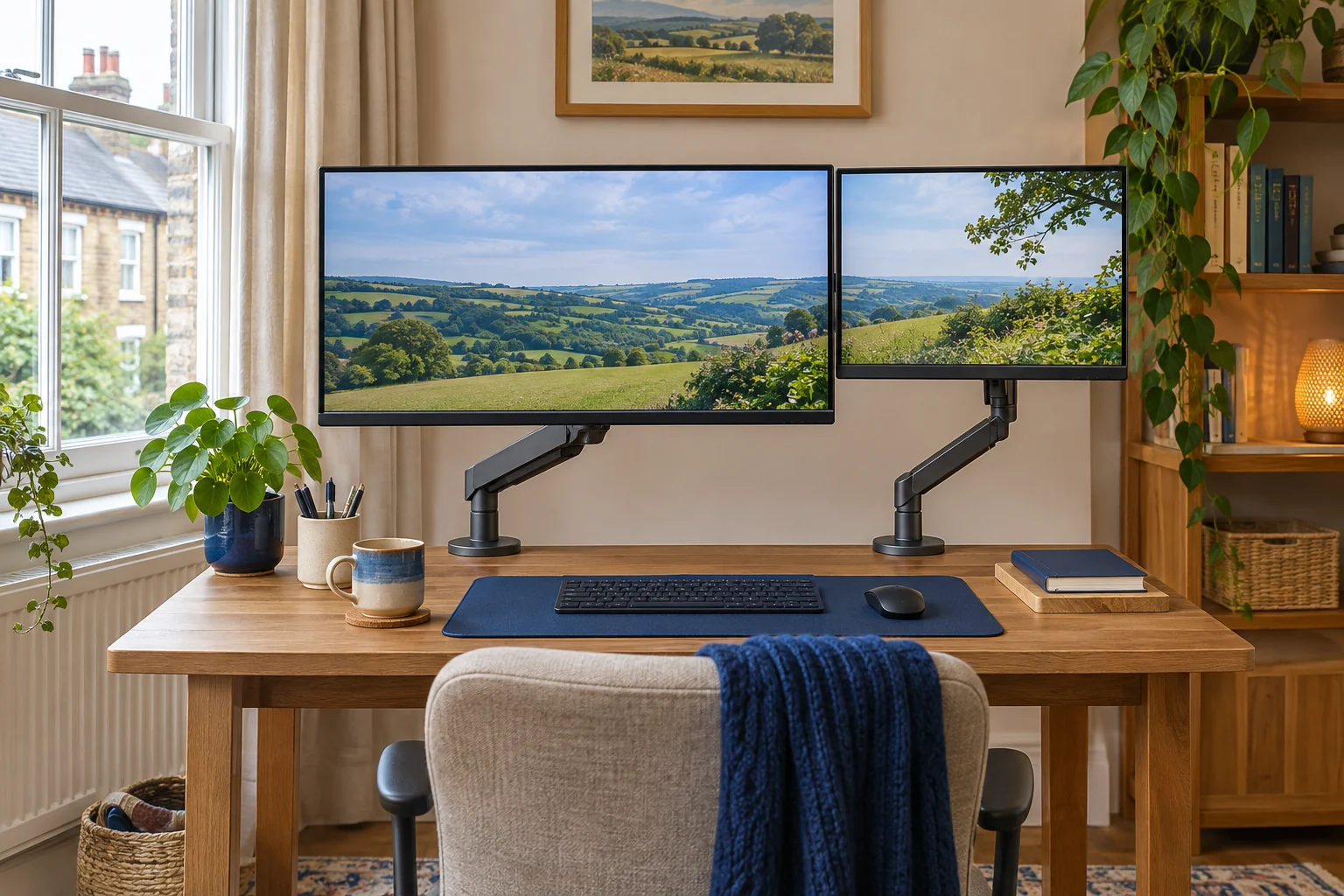
Position the display you use most
Set the primary screen in front of the seat and keyboard, at a distance where you can read normal text while sitting back. Put the second screen to the side that gives easy access to the work you keep there. If you use both equally, test a centred pair with a small turn to each screen. Use a real task to decide, because the side used for a glance may not suit a screen you read all afternoon.
Align the active picture area, rather than simply matching the outer cases. Some screens have a thick lower edge. Others have mounting holes above or below the picture centre. Try matching the height of your most-used line of text across both displays. Adjust scaling or zoom separately if the same application looks very different in size on each screen.
Calculate the two VESA centre heights
Measure down from the active top edge to the VESA centre on each display. If you want both picture tops 45 cm above the desk and those distances are 18 cm and 13 cm, the plate centres need to sit at 27 cm and 32 cm. That 5 cm difference matters even though the finished screens line up. Repeat the check for portrait use if one screen will rotate.
Trace both cases at their working angles and mark the available width and depth. Check rear plugs and where the elbows can fold. With one screen nearer the wall, check that the other can reach a similar viewing distance without colliding.
Invision MX400 for independent vertical positions
The MX400 lists 19–32 inch screens at 2–9 kg each. The two gas-assisted arms let you check each height separately. Confirm the actual VESA-centre positions in the drawing and check the desk fixing for the total load.
Two independently moving screens
Invision MX400
Two gas-assisted arms share one attachment. This is the adjustable option for two compatible everyday screens when each display needs its own position.
Each monitor must weigh 2–9 kg without its stand. Confirm the clamp diagram for the base supplied; the arm sweep and desktop strength matter as much as the thickness.
- 19–32″ each
- 2–9 kg each
- VESA 75 × 75 or 100 × 100 mm
Use the individual screen weights without stands. If a small display falls below the arm’s minimum, see whether another approved mount covers it. Matching the larger screen’s weight does not make the second arm suitable for the lighter screen.
VIVO STAND-V002 for a shared pole height
The STAND-V002 lists 13–30 inch screens and up to about 10 kg each. The common crossarm moves as a unit on the pole, with individual head adjustments. Check how much separate height correction the supplied heads allow before choosing it for screens with different plate-centre targets.
Two screens that mostly stay put
VIVO STAND-V002
A shared pole and mechanical crossarm hold two screens without spring tension adjustment. Consider it for a stable side-by-side layout with similar screen heights.
The exact V002 is rated for 13–30 inch screens, up to 22 lb each. The main arm height is shared. Check casing widths against the 737 mm published span and confirm the clamp instructions at the thickness limits.
- 13–30″ each
- Up to 22 lb (about 10 kg) each
- VESA 75 × 75 or 100 × 100 mm
If the two plate centres cannot reach the intended positions together, compare separate arms. After placing the screens, match the operating system’s display layout to where they actually sit and test moving the pointer between your usual areas.
Common questions
Should I align the tops or centres?
Align the active areas that suit the task. Matching the picture tops can help when reading across both screens.
Can one dual arm hold two different screen weights?
Check the minimum and maximum for each branch and verify the mounting patterns individually.
Why do the screens look uneven at the same plate height?
The active areas and VESA centres may sit at different distances from the edges of the two cases.
Should both monitors be the same distance away?
Set each at a comfortable reading distance. Try the layout with real text and adjust zoom or scaling if needed.
When do I need independent arms?
Compare independent height and reach when a shared crossarm cannot place both VESA centres where you need them.
Sources and selection
Sources and Amazon UK listings checked in November 2026. This guide uses published specifications and fitting guidance.