
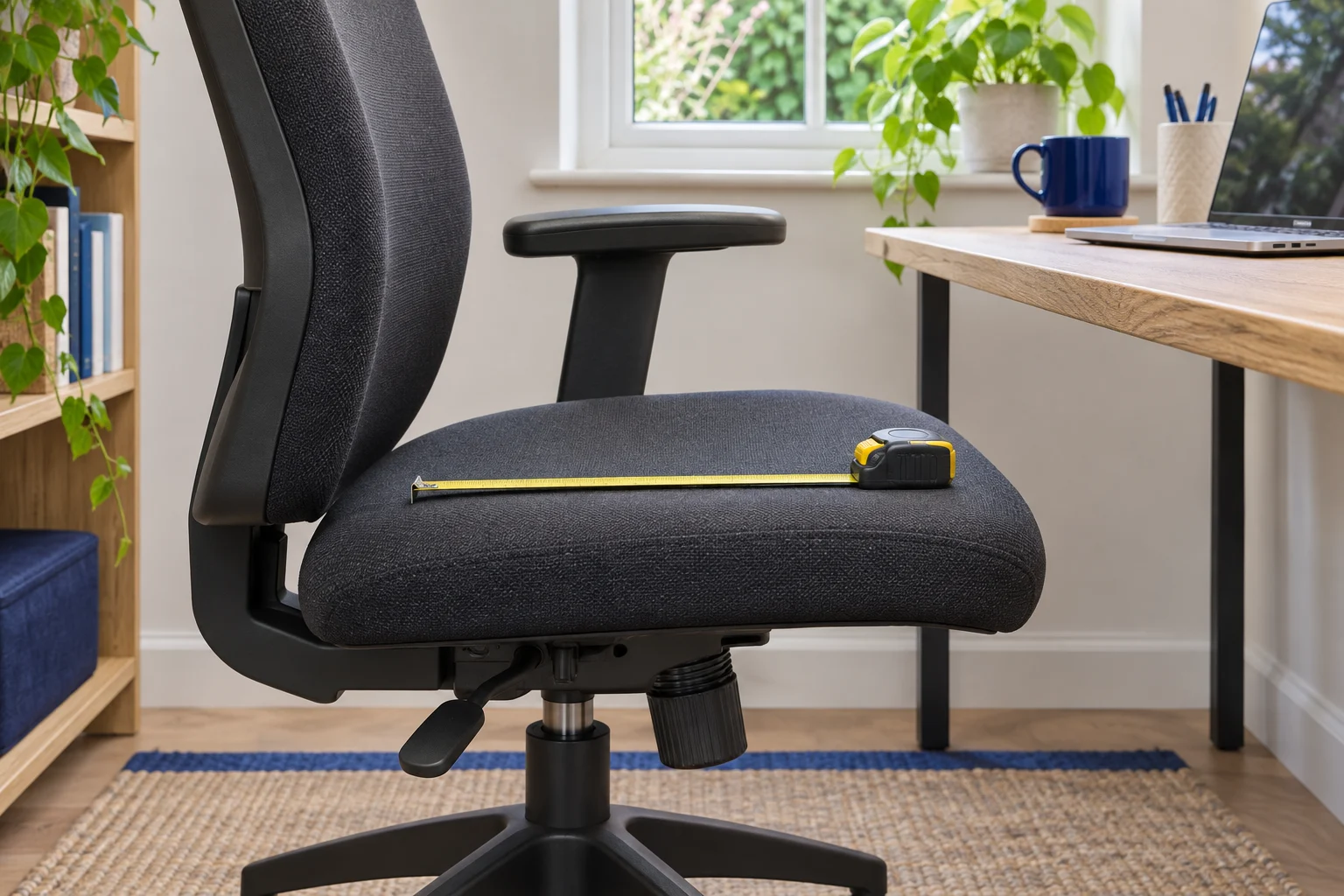
Set the chair before measuring
Seat depth determines how much of your thigh the seat can support while your back reaches the backrest. Sit in the chair you use now, in ordinary work clothes and footwear. Set the seat to a height where both feet are supported. Put the backrest in your usual upright working position and sit far enough back to use it.
Find the front edge of the cushion under each thigh. A rounded or flexible front may be comfortable even if it looks close to the knee in a photograph. Check whether it presses into the crease when you sit back or when you use the pedals of a footrest. HSE’s workstation illustration shows a small gap behind the knee. Use that as a starting point and check comfort on both sides.
If you can reach the backrest only by sliding your feet forward or losing the knee gap, the usable pan may be too deep for that setup. If much of the thigh is unsupported while the backrest fits and the feet stay planted, try slightly more usable depth. Check the height again after either change.
Record usable depth and the knee gap
Ask someone to measure along the seat in line with your thigh, from the part of the backrest your body rests against to the front support edge. Take the measurement with the chair in its working configuration. If you measure alone, note your contact point and then measure the same line with the chair unoccupied. Curved padding can make an unoccupied reading approximate.
Measure the distance behind your knees too. As an example, if the measured back-to-knee length is 45 cm and the trial position leaves about 3 cm clear, a usable depth near 42 cm gives you a sensible starting point. That is a personal trial figure. A different backrest shape or cushion slope can change where you sit on a chair with the same printed dimensions.
Keep the working height, usable seat depth and knee gap in your notes. If you already own a chair that fits, take the same measurements on it and use them as a reference when comparing specifications. An online chair’s overall depth includes the back, base and sometimes the recline envelope. It will rarely help you estimate thigh support.
Compare a depth slider with a fixed seat
A slider changes the distance from the seat edge to the working backrest position. Try its shortest setting first if your current chair crowds the knee crease. Move it forward a notch at a time while staying back against the chair. After each change check both legs, then test the position at your desk.
A lower seat with a depth slider
Steelcase Series 1, Onyx
The UK Series 1 specifications list a 41 cm starting seat height and a usable depth range of 42–48 cm. A slider lets you trial the shorter setting.
Steelcase uses a standardised measuring method. Try the seat with your own footwear if you are near the minimum, and check armrest and castor fit at your desk.
- 41–52 cm seat height
- 42–48 cm usable depth
- Depth slider
A fixed-depth model can work well when its geometry matches your measurements. It is especially worth checking in person when the quoted size is close to your limit. The shape of a divided or sprung backrest can put the pelvis in a different position from a straight measuring tape across the cushion.
A fixed pan with folding arms
SIHOO M59AS, black
The black M59AS has a published 43.5 cm seat depth and arms that flip up for parking under a desk.
The seat starts at 46.5 cm. Check supported feet and knee clearance at that height. A trial is especially useful if your target depth is close to 43.5 cm.
- 46.5–56.5 cm seat height
- 43.5 cm seat depth
- Flip-up arms
For a shared chair, compare each person’s usable depth and seat height. A depth range that serves two people is useful only if both can also set the chair height and reach the controls.
Check the result at the desk
Roll the chair back under the desk and place the keyboard and mouse where you normally use them. Check whether an arm pad contacts the desk before you can sit close enough. Try the chair first with the arms at a comfortable level, then see whether a lower arm setting clears the desk without compromising your usual working position.
If you raise the chair to reach a fixed keyboard, restore foot support and recheck the knee gap. A footrest can support your feet at that higher setting. It will not change the distance between the front edge of the seat and the backrest. For the whole setup, work through desk height and chair-to-desk clearance.
Before buying, check that the dimensions refer to the selected base, seat and backrest configuration. If the seller gives a pan dimension but your fit is borderline, ask for the shortest usable setting measured to the backrest and check the return conditions before assembly.
See chairs with a seat-depth slider if your measurements call for an adjustable pan.
Common questions
How much room should be behind my knees?
HSE illustrates a small gap, around 2–3 cm, with the back supported. Try the chair in your working position and check both knees for pressure.
Is the seat pan depth the same as usable depth?
The pan dimension describes the seat itself. Usable depth depends on where the backrest places you and how the front of the cushion supports the thigh.
Can a footrest fix a deep chair seat?
A footrest supports the feet when the chair needs to sit higher. If the pan prevents you reaching the backrest with clear knees, look for a shorter usable depth.
Does a depth slider help if I am short?
It can if its shortest setting is within your usable range. Check the seat height and arm clearance independently.
Should I measure seat depth with the chair reclined?
Begin with the upright setting you use for typing. Then try your usual recline and check that you can move between the positions comfortably.
Sources and selection
Specifications and Amazon UK variants checked in November 2026. The comparisons use published dimensions and fitting guidance.