
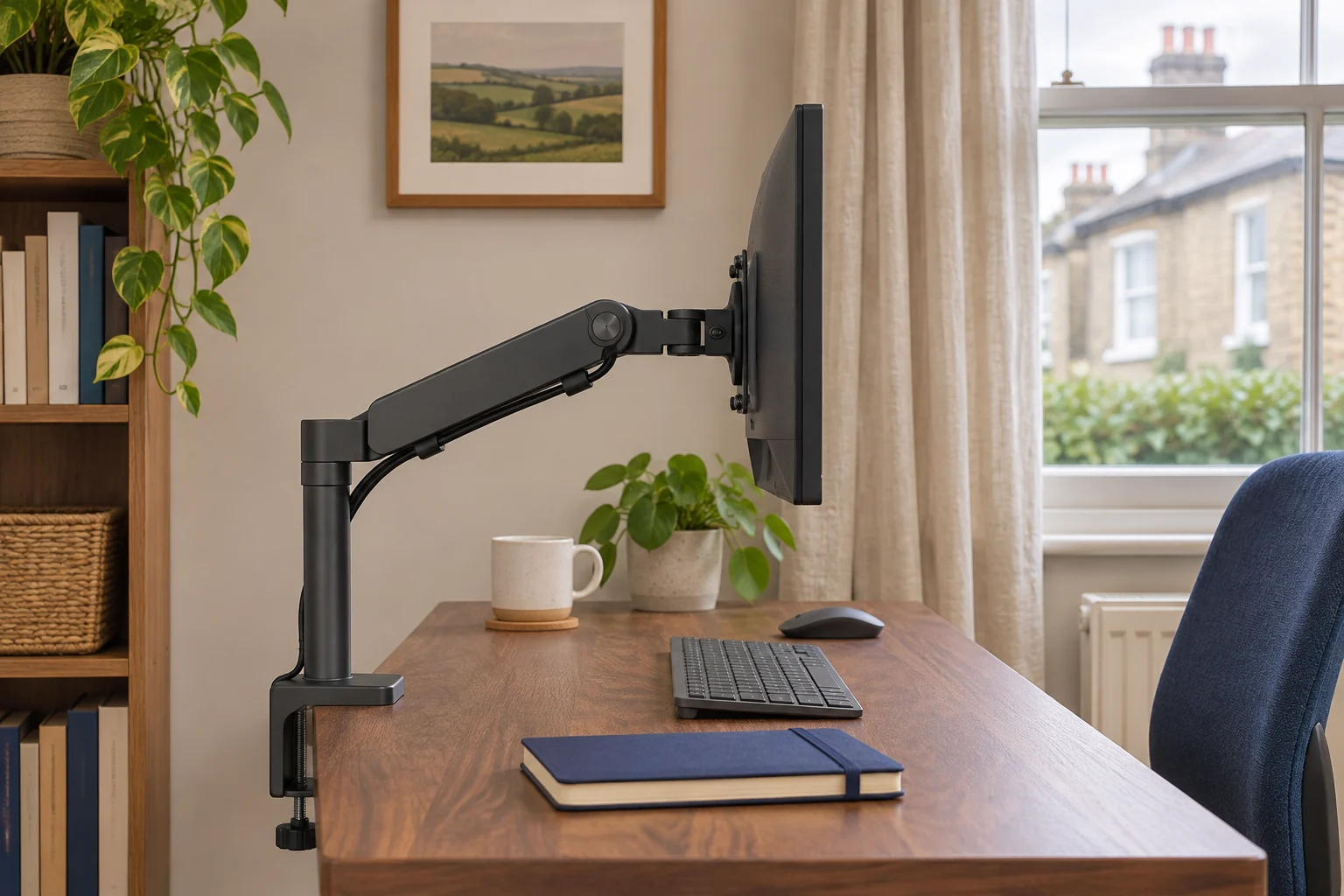
Identify what is dropping
Set the arm in a position where the screen is supported and clear of other objects. Look across the desk from the side and note the height of the elbow and the angle of the screen. A falling elbow with a steady screen angle points to the lift mechanism. A steady elbow with a screen that nods forward points to the tilt head. On a pole mount, check whether the collar has moved down the pole. The curved-screen tilt guide covers the case where the display itself rotates forward.
Check the base against the desktop edge. If the clamp shifts, the top deforms or the fixings loosen, support and remove the display as the instructions direct. Check the surface and installation before using it again. A lift adjustment cannot secure a loose base. Check whether a cable gets tight when you lower or extend the arm as well.
Check both ends of the arm’s load range
Find the monitor's published weight without its original stand. Include adapters, spacers and anything else carried by the arm. A 7.8 kg display with a 1.3 kg adapter totals 9.1 kg. That exceeds an arm rated to 9 kg before you account for any other hardware. A screen below the minimum can also be hard to balance and may rise instead of dropping.
The current Invision MX200 is listed for 19–32 inch displays at 2–9 kg. Its range is useful when diagnosing a small or mid-size display. Check which base and arm revision you have, using the drawings in the matching manual.
An everyday adjustable screen
Invision MX200
The gas-assisted arm suits a single compatible screen you move between tasks. It frees the desk from a broad stand and gives you a choice of edge clamp or through-desk fixing.
A centred clamp can leave the elbow in the way of the wall. Check whether the clamp can sit to one side while keeping the screen centred. Match the fitting diagram to the base supplied.
- 19–32″
- 2–9 kg
- VESA 75 × 75 or 100 × 100 mm
The MX450 revision shown here covers 24–40 inches and 2–15 kg. The higher weight limit can help with a heavier panel, provided the exact mount, display and desktop are compatible. A deep display can still exceed what a tilt head can comfortably hold. See the ultrawide guide for those cases.
A larger or heavier screen
Invision MX450
The MX450 handles a wider size and weight range. It is the shortlist option for a compatible display above the MX200’s 9 kg limit, provided the desktop and tilt head can take it.
The longer arm needs room to move. If your screen is deeply curved, ask Invision to confirm the exact model with the tilt head. Check for the 24–40 inch, 2–15 kg revision.
- 24–40″
- 2–15 kg
- VESA 75 × 75 or 100 × 100 mm
Use the adjustment for your arm
Find the lift adjustment in the matching manual and check the position the manufacturer specifies for access. Support the display as directed before making changes. Use the specified tool and direction for your symptoms. Lift and tilt adjustments may use separate fasteners. Make a small change, remove the tool and check whether the display holds under support. Stay within the adjustment range and stop if the mechanism binds or the manual's limit is reached.
Check low, middle and high positions with the equipment and cables in place. If the arm only drops near full extension, note that for the maker and check the cable and clamp again. If it still drifts with a confirmed compatible load, keep the screen safely supported and contact the maker with the model and a side-on photo. A return to the original stand can keep the desk usable while you resolve the fault.
If the screen moves only while you type, trace where the wobble starts before changing the lift tension.
Common questions
Why does my monitor arm fall as soon as I let go?
Check the total load and the lift adjustment for your exact arm. Also check that the base and any pole collar are secure.
Why does the arm rise by itself?
A load below the published minimum or a lift setting that is too strong can make a balanced arm rise. Follow the maker’s instructions.
Does tightening the tilt screw fix lift sag?
Use the manual to identify the moving joint. Tilt and lift use separate adjustments on many arms.
Should I count a VESA adapter in the load?
Include the adapter and any accessories the arm carries as well as the monitor without its stand.
What if the clamp itself moves?
Support the display and stop using the mount until the clamp, desk material and fixing are checked.
Sources and selection
Sources and Amazon UK listings checked in November 2026. This guide uses published specifications and fitting guidance.