
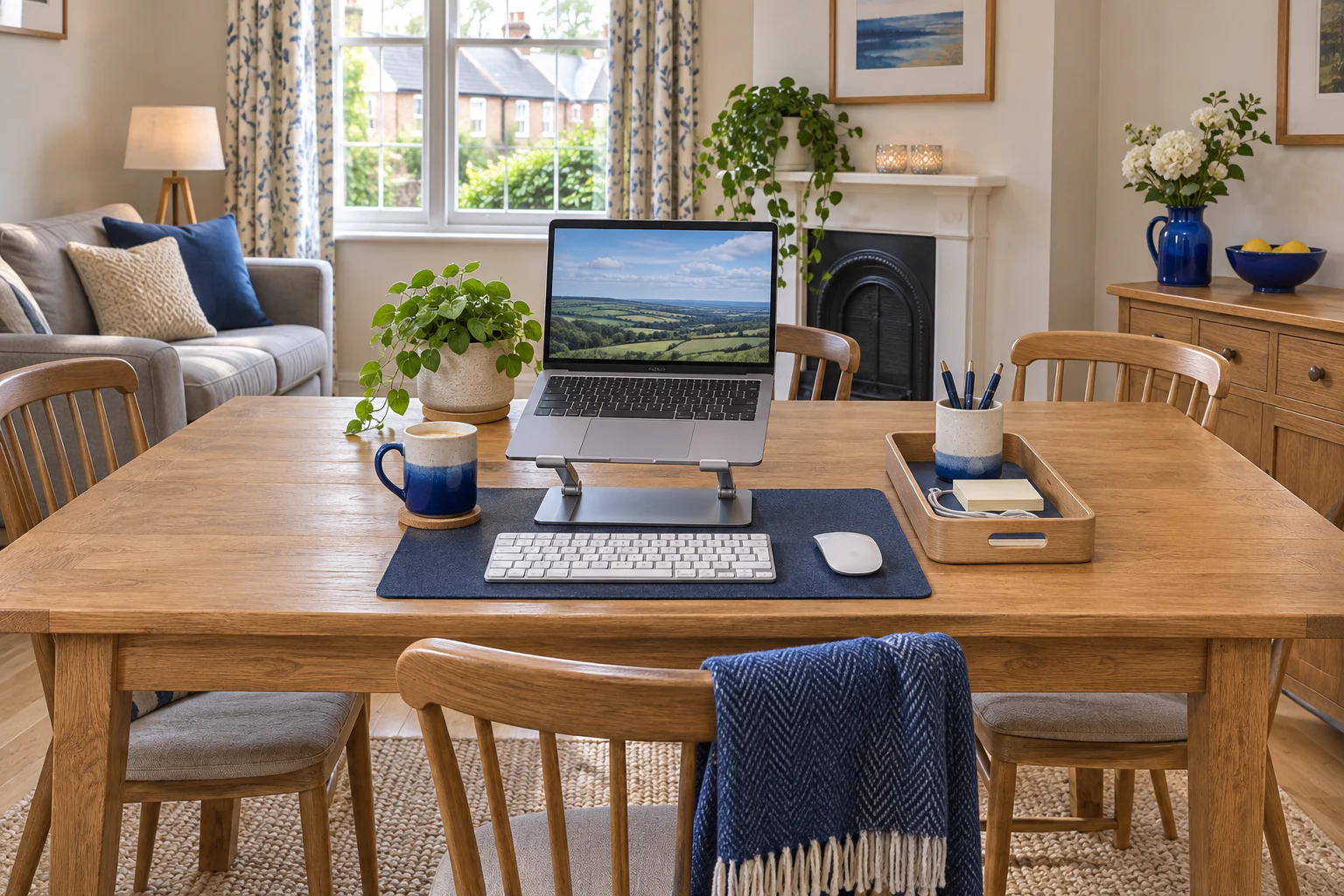
Agree what space is available
Start with the other things the room needs to do. A dining table may have a clear corner in the morning and need every seat in the evening. A living room might need a wide route through it once someone else is home. Pick the work position by testing both the work session and the change back.
Measure the part of the surface you can reliably keep clear. Use the distance to the wall or the next place setting as well as the table edge. With your normal chair in place, check what happens when you pull back to stand and where the chair goes afterwards. A table apron or pedestal can limit where you sit even on a large table.
Check where the power lead and display cable will run before choosing a seat. Find a socket near the setup, route cables along the room edge, and keep plugs where you can disconnect them without moving the table. A lead that reaches only when stretched across the walkway is a reason to try a different seat.
For a worked layout, suppose the cleared zone is 85 × 50 cm. Lay out the stand and open laptop first. Put the keyboard and mouse where you use them, then leave the charging plug attached to see what space the lead needs. Try a normal task before deciding what else can live there.
Pick equipment that can move together
A laptop, stand, keyboard and mouse can make a workable temporary arrangement. HSE illustrates separating the keyboard and mouse when the laptop is raised. Try your working position with the peripherals in place. Moving the screen higher can also move its face forwards or backwards depending on the stand.
A folding stand can store flat in the same tray as the leads. Use the opened footprint for the table plan and check the folded size against the drawer or tray. Leave the fold mechanism room to open on the table.
A stand to pack away
UGREEN 40289 folding stand
The silver 40289 folds into a narrow bundle and has five raised positions. It suits a desk or table you clear between sessions.
Trial the laptop’s support points, front lip, vents and cable exits at the chosen setting. Diagonal screen size alone leaves those details unresolved.
- Five height settings
- About 4.7–13.8 cm listed lift
- 27 × 5.5 × 2.7 cm folded
If several people share the same table, agree where the chair and foot support go between sessions. Raise the chair only if you can still fit your thighs under the table and support your feet. A small movable footrest can suit a room that needs its floor space back, provided it holds position on the flooring you use.
A cushion that packs away
Duronic FT06 cushion footrest
The FT06 uses a curved top cushion and a removable flat base. The combined footprint is 44 × 30 cm, and the cushion can move with a temporary work setup.
The combined 17 cm height is an unloaded outer measurement. Check the height under your feet and whether the base grips your actual floor.
- 44 × 30 cm footprint
- 17 cm unloaded when stacked
- Two cushion pieces
For a dining chair that sits low, try measuring the key height with your actual keyboard. If the table and chair combination makes you reach up even with sensible adjustment, try a different seat or work surface. Rehearse the fit before deciding which accessories are worth storing.
Make the setup and reset repeatable
- Clear and check the surface. Give the stand and its feet a flat place to sit. Wipe away crumbs or anything that would tip the stand.
- Open the stand and place the laptop. Set a familiar position for the laptop and its hinge. Plug in the charger where the lead can bend easily.
- Set the input devices. Place the keyboard and mouse where they were comfortable in your trial. Use a removable mat if that helps you reproduce the positions.
- Check the floor. Place the footrest where you can rest both feet. Make sure the chair can pull back without catching the lead.
- Pack in reverse. Save and close the work, unplug by the connector, and let warm equipment cool before putting it away. Fold the stand once the laptop is off it.
Keep the charger and peripheral receiver with the rest of the kit. Give papers or work equipment a separate folder if the room is also used for meals. Put the storage tray somewhere you can reach from the working position without blocking a cupboard door.
Set rules for a space that changes hands
Agree which equipment can stay in the room and when the table needs to be clear. Make the reset short enough that you will do it at the end of a busy day. If you regularly need a heavy second monitor, choose a safe nearby resting place and check the cable release sequence. A fixed workspace in a bedroom corner may suit equipment you move infrequently.
Try the whole routine twice, including someone walking through the room or using the adjacent seat. Check whether you can reach the blind, open the door and move the chair without rearranging other furniture. Take a quick photo of the position that works if several people need to restore it. Measure your final stand and tray choices from that position.
If the surface needs to come out of the room after work, compare two folding desks by their folded size and storage path.
When the work surface also serves meals, use the dining-table setup guide to check the apron and pack-away routine.
Common questions
What should I pack together for a shared workspace?
Keep the stand, keyboard, mouse and the leads you use every day together. Measure the folded kit and check that the storage spot is easy to reach.
Where should I run a charger in a shared room?
Choose a seat near a socket and route the lead away from walkways and castors. Leave the plug accessible for the daily reset.
Can I work at a shared dining table every day?
Trial the chair height, leg opening, keyboard position and screen position for a normal session. A table that is free for work still needs to fit you.
Is a folding laptop stand useful if I pack away each night?
It can reduce the volume you store. Check its open footprint, support points and vent clearance as well as its folded size.
How can I switch the room back to dining quickly?
Give the kit one nearby storage spot and repeat the same unplug and pack sequence. Include the chair and footrest in the reset plan.
Sources and selection
Specifications and Amazon UK variants checked in November 2026. The comparisons use published dimensions and fitting guidance.