
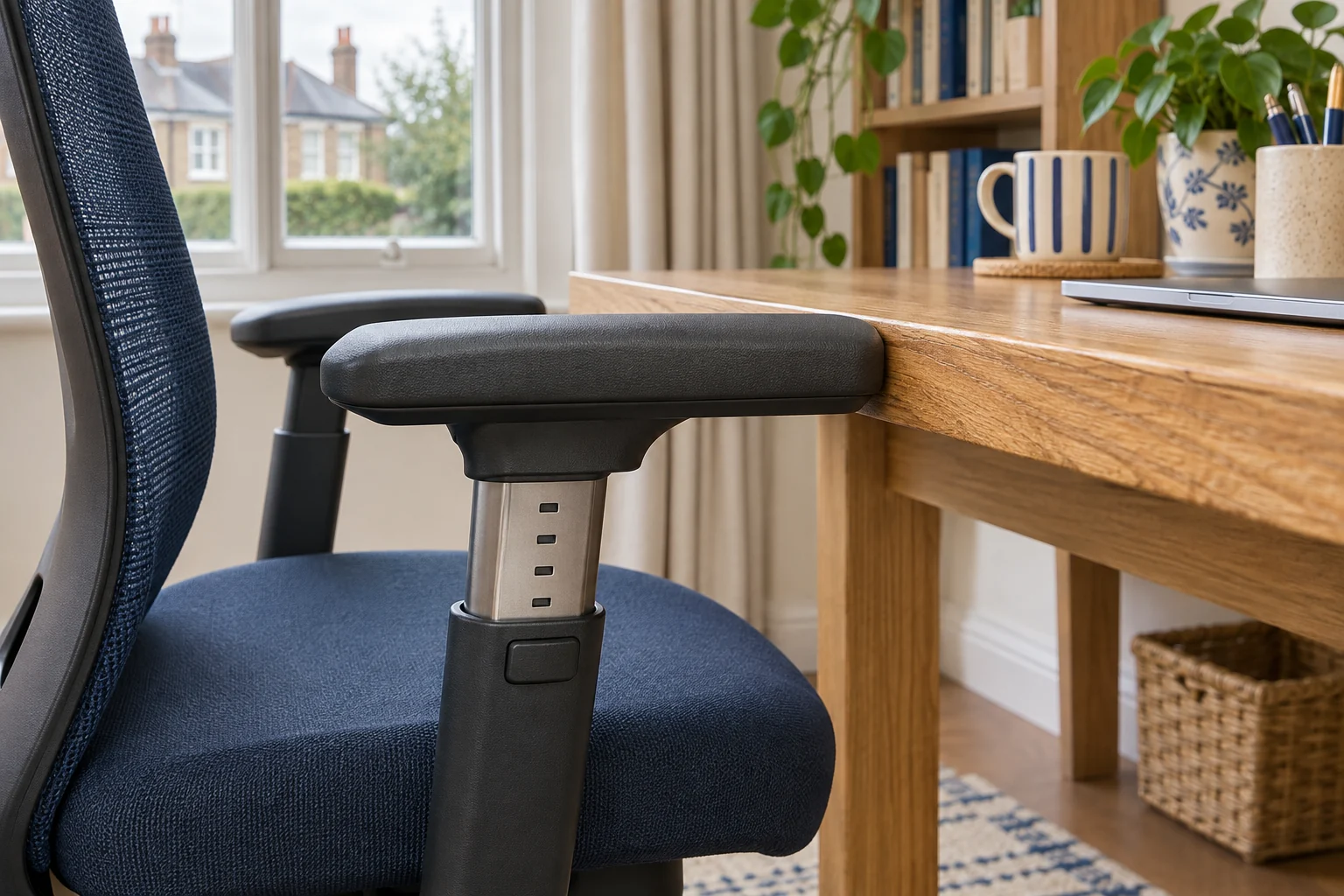
Read the movements behind the labels
Height moves the pad up or down. Depth slides it forwards or backwards. Width changes the distance between the pads or their supports. Pivot changes the angle at which a pad points. Product pages count movements differently, so check the maker’s diagram and instructions for the exact chair. Some pads move sideways while the posts stay fixed. Others change the position of the support itself.
Write down the movement your desk needs. A height change can clear the underside, while a backward slide may move the pad away from a drawer front. Pivot may help you line up the pad with your forearm, but the outer corner can project farther sideways. If you want the pads out of the way for parking, check for a separate flip-up movement.
Measure both the working and parked chair
Set your seat height and depth, then sit with your shoulders relaxed and hands near the keys. Measure the gap between the top of the pad and the underside of the desk in that position. Compare the inside distance between the pads with where your arms fall naturally. Try the mouse as well as the keyboard.
For example, a 68 cm opening leaves little movement if the unloaded arm pad is at 67.5 cm. Check the lowest drawer or lip along the entire approach. Record the width at the widest part of the arm and at the castors. Try moving in from the angle you normally use, because the near pad can hit the edge first when the chair turns.
Steelcase Series 1 for four specified movements
Steelcase lists height, width, depth and pivot adjustment for the UK Series 1 armrests. Ask for the minimum and maximum pad height at your chosen seat setting if you need a precise clearance. Width matters as much as height if you work between a desk leg and cupboard.
A lower seat with a depth slider
Steelcase Series 1, Onyx
The UK Series 1 specifications list a 41 cm starting seat height and a usable depth range of 42–48 cm. A slider lets you trial the shorter setting.
Steelcase uses a standardised measuring method. Try the seat with your own footwear if you are near the minimum, and check armrest and castor fit at your desk.
- 41–52 cm seat height
- 42–48 cm usable depth
- Depth slider
Trial the mouse position with the pad both forward and back. Use a setting where you can move your arm freely and reach the keys without raising your shoulders. Check that the armrest and seat adjustments stay in place through a normal task.
SIHOO B300 Pro for a pad that also flips
The black B300 Pro lists multi-position armrests that can lift, slide, rotate and flip. Check the exact movement you need in the manual. Measure the hinges and supports with the pads up before relying on the flip position to park the chair.
For adjustable back and seat
SIHOO B300 Pro, black
The B300 Pro has a seat-depth slider and a backrest that can be adjusted for height.
Ask for the shortest and longest usable depths measured with the backrest set as you will use it.
- 5 cm stated seat travel
- Height-adjustable backrest
- Multi-position armrests
If several people use the chair, record each person’s seat and arm settings and confirm that both can get in and out. The arm clearance guide shows how to compare the chair’s travel with the drawer, desk legs and keyboard position.
Common questions
Are all 4D armrests the same?
Check the movements and dimensions for the exact chair. Makers can label the controls differently.
What is the difference between pivot and width?
Pivot turns the pad. Width changes the distance between the pads or posts.
How high should the pads be while typing?
Set the chair and keyboard first. Try a pad height that lets your shoulders relax and lets you reach the keys freely.
Will sliding a pad back help it fit?
It can move the front of the pad clear of a desk lip. Check the posts, seat and castors as well.
Is a flip-up arm height-adjustable too?
Some models offer both movements. Check the exact chair’s controls and the parked shape.
Sources and selection
Sources and Amazon UK listings checked in November 2026. This guide uses published specifications and fitting guidance.