
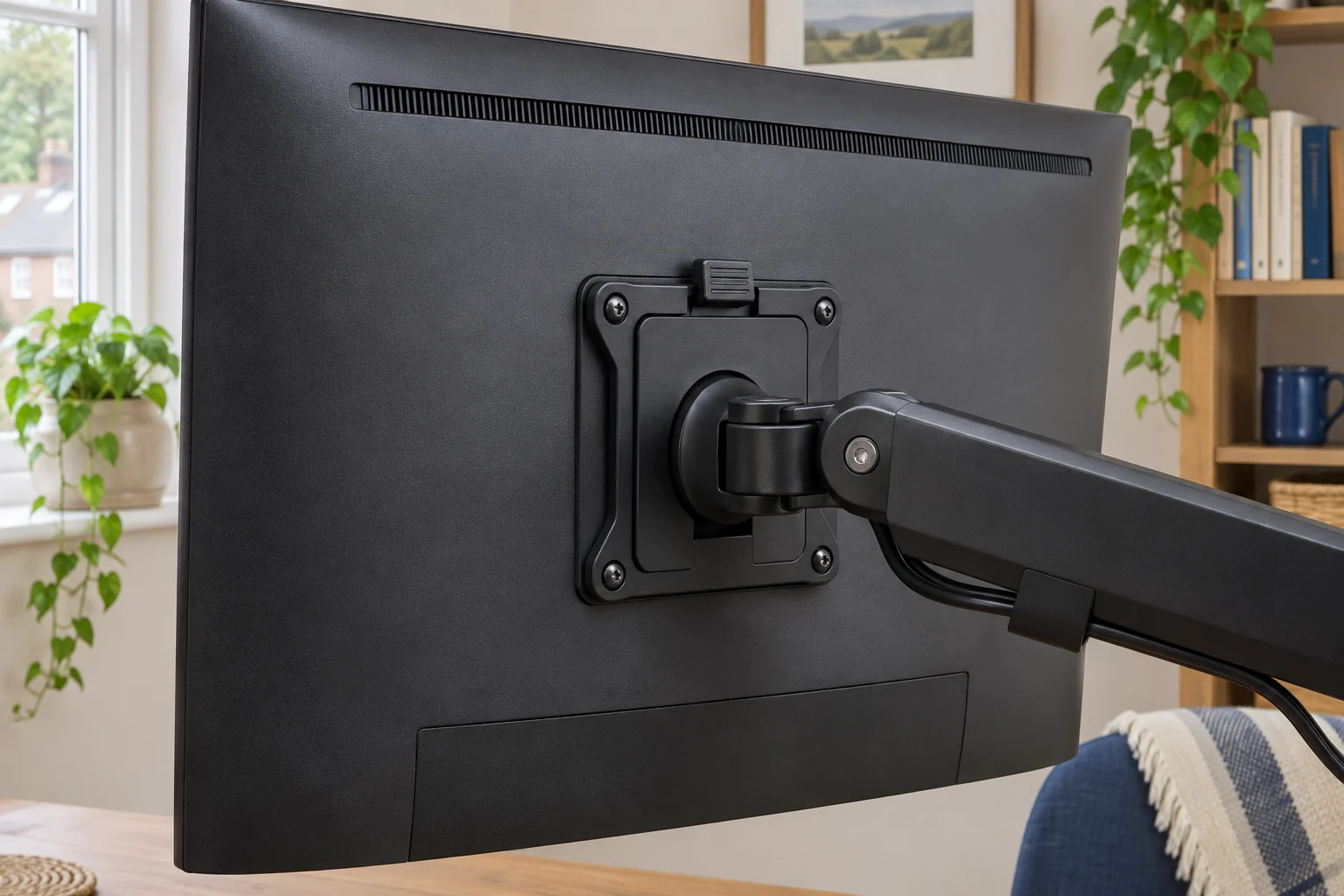
The fit comparison
Compare the published fit limits
The table gives the bracket ratings. The arm, screen, fixings and other components can impose lower limits.
Scroll across the table for every fit check.
| Model | VESA | Bracket limit | Check first |
|---|---|---|---|
| VIVO STAND-VAD2 quick-release kit For compatible standard VESA patterns | 75 × 75 or 100 × 100 mm | Up to about 10 kg | Allow space above for removal. |
| Ergotron 60-589-060 quick-release bracket For a higher bracket load limit | 75 × 75 or 100 × 100 mm | Up to 15.9 kg bracket rating | Check depth and the arm’s adjusted capacity. |
Check both interfaces and the release path
A quick-release kit usually has one half on the screen and one on the mount. Check the hole pattern and fixing depth at both interfaces. If your arm already has a removable plate, use the replacement part the maker approves for that mount. A detachable plate can share the same monitor hole pattern with another model and still use a different catch.
Measure the space needed to slide or lift the screen free. A shelf can leave enough clearance for the installed screen but too little for the release path. Check where your hands can support the screen and whether you can reach the catch with the monitor fitted. Keep the leads free of the release path and follow the maker’s handling instructions.
VIVO STAND-VAD2 for 75 and 100 mm patterns
VIVO lists 75 × 75 and 100 × 100 mm patterns and a 22 lb bracket rating, about 10 kg. The screen-side part slides into its receiver and clips into place. Check that the supplied plate can sit flat on the display and that the kit clears a recess or curved housing.
For compatible standard VESA patterns
VIVO STAND-VAD2 quick-release kit
Two mating brackets add a removable screen interface to a compatible VESA mount.
Check both VESA interfaces, the final assembly weight and the space to operate the release.
- 75 × 75 or 100 × 100 mm
- Up to 22 lb (about 10 kg)
- Slide-in plate and catch
Check the correct screws for both sides. The screen manual gives the permitted thread and insertion depth. The kit’s screws must work with the exact stack you use. If you need a spacer, use only an approved arrangement and check that the added depth leaves room behind the display.
Ergotron 60-589-060 for a higher bracket rating
Ergotron lists this bracket up to 15.9 kg and calls for a depth check near its 7.6 cm display-depth threshold. The maker also says fitting the bracket reduces the capacity of the arm it attaches to. Ask for the adjusted capacity and screen compatibility before ordering.
For a higher bracket load limit
Ergotron 60-589-060 quick-release bracket
The bracket adds a removable interface to an approved mount with VESA 75 or 100 mm patterns.
Check the display depth and Ergotron’s adjusted arm capacity before choosing this bracket.
- 75 × 75 or 100 × 100 mm
- Up to 15.9 kg bracket rating
- Check screen depth
If a bare monitor weighs 8.4 kg and the release kit and other fittings add 0.7 kg, the arm carries 9.1 kg. That exceeds a 9 kg arm limit even if the bracket itself can hold more. Use the lowest applicable limit and any further conditions from both manufacturers.
Check the catch before using the screen
Support the screen as directed when placing it on the receiver. Confirm that the catch fully engages and fit any locking screw or safety part shown in the instructions. If the screen feels loose or the catch is hard to reach, stop and check the parts before use. To remove it, disconnect the leads as directed and arrange suitable help for a large or awkward display.
Common questions
Will a 100 × 100 mm plate fit any 100 × 100 mm mount?
Check both interfaces, the approved attachment hardware and the fit of the release system.
Does a quick-release bracket change arm capacity?
It adds mass and moves the screen. Use the arm maker’s adjusted limit if it publishes one.
Can I mix the two halves from different brands?
Use the approved matched halves. VESA hole spacing does not standardise the catch.
Will the plate fit a recessed VESA area?
Check the plate outline, permitted screw depth and any maker-approved spacers.
How much space do I need above the screen?
Check the removal path and required lift in the kit instructions. Allow space to support the screen safely.
Sources and selection
Sources and Amazon UK listings checked in November 2026. This guide uses published specifications and fitting guidance.