
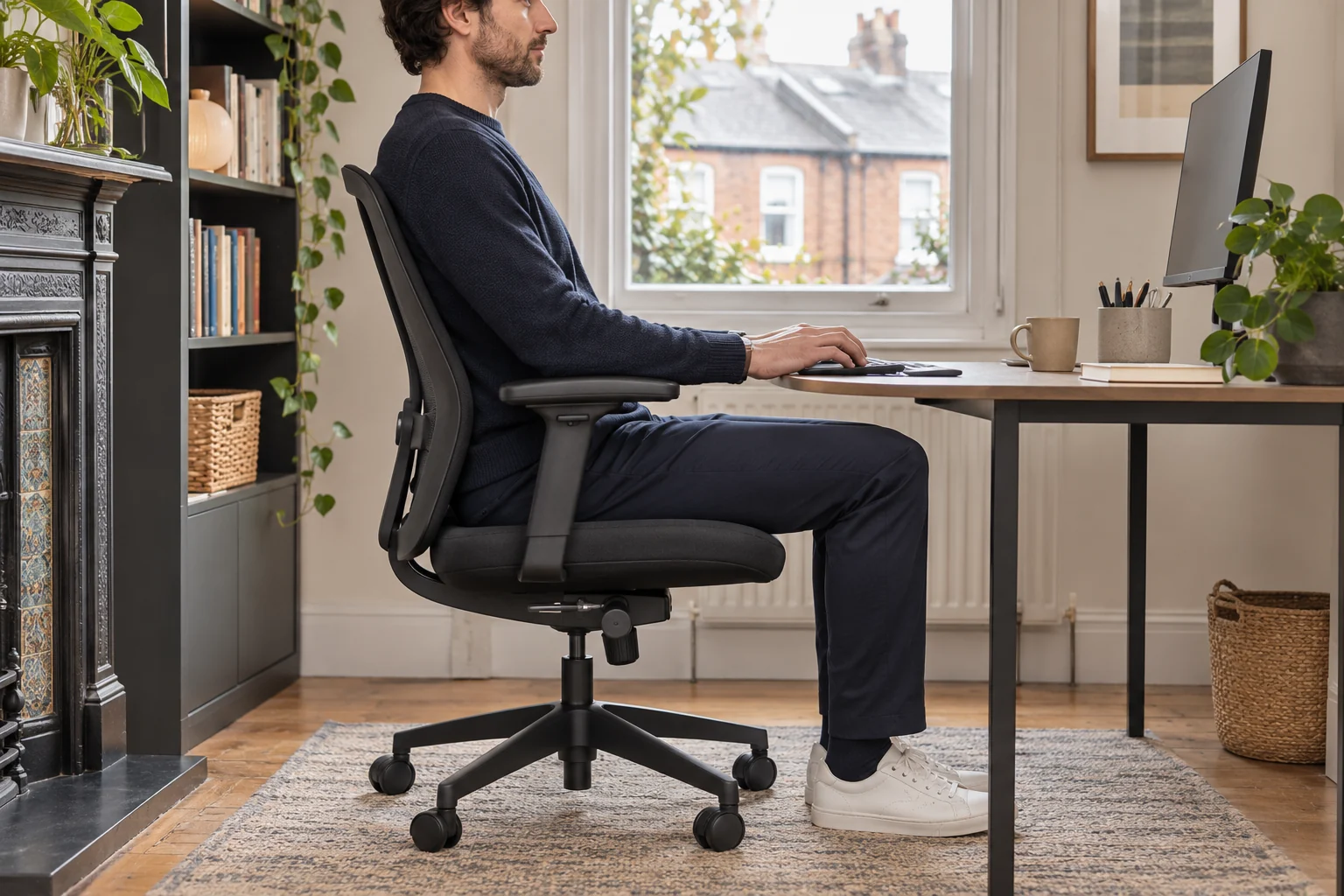
The fit comparison
Compare the published fit limits
The FLINTAN depth is a fixed measurement. Amia’s range describes usable depth as measured by Steelcase UK.
Scroll across the table for every fit check.
| Model | Seat height | Seat depth | Fit check |
|---|---|---|---|
| IKEA FLINTAN with arms, black Fixed-depth seat with optional arms | 45–58 cm | 49 cm listed, fixed | Try the front-edge clearance at working height. |
| Steelcase Amia, black Seat slider and adjustable arm spacing | 43–54 cm | 43–49.5 cm usable | Check the usable depth with the back supported. |
Measure seated height and thigh length
Take two measurements in the shoes you wear while working. Sit with feet flat and measure from the floor to the underside of the thigh close to the knee. Then measure from the surface supporting your back to the crease behind your knee. Treat these as starting points and repeat on the chair if you can. A cushioned seat compresses under you and a contoured front edge may contact the thigh farther back than its outer edge.
Try a seat that supports most of the thigh and leaves a small clear gap behind the knees. The HSE workstation checklist asks whether the front of the seat presses into the thighs. If you find yourself sitting forward to avoid contact, try a shorter usable depth. If only a small area under the hips carries your weight, try a longer setting with your back still supported.
A fixed-depth chair with a higher seat range
IKEA lists a 49 cm fixed seat depth and 45–58 cm seat-height range for the black FLINTAN. This gives you more height at the top of the published range than the Amia below. Try the fixed depth at your working height. Check that your back can reach the support and that the seat edge stays clear of your knees.
Fixed-depth seat with optional arms
IKEA FLINTAN with arms, black
IKEA lists the FLINTAN chair and matching arms as separate components. The chair has a 49 cm listed seat depth and a 45–58 cm seat-height range.
Match the chair and arm article numbers before fitting or removing the arms. Check the seat depth and the space around the chair base.
- 45–58 cm seat height
- 49 cm seat depth
- Matching arms attach separately
Measure the desk’s underside as well as the top. A drawer or front rail can be the lowest point in the path of your thighs. The matching arms are optional on the current chair. Check arm height and desk entry if you plan to fit them.
An adjustable seat that reaches 49.5 cm
Steelcase UK publishes 43–49.5 cm of usable depth and 43–54 cm of seat height for Amia. Its slider lets you try a shorter setting while keeping the backrest in use. These are lab measurements. The IKEA figure describes a fixed seat depth, so verify the two chairs in the same sitting position if comparing close measurements.
Seat slider and adjustable arm spacing
Steelcase Amia, black
Steelcase publishes a 43–49.5 cm usable seat-depth range and a 43–54 cm seat-height range for Amia under its UK measuring method.
Measure at your setting, including usable pan width and inside space between the arms.
- 43–54 cm seat height
- 43–49.5 cm usable seat depth
- 49 cm listed seat width
Test the slider at the distance you expect to use. After adjusting, let it engage and check that the seat stays at that setting. Make sure the controls are reachable and the front of the seat still supports your thighs when you recline slightly.
Check the chair at the actual desk
Measure the clear height to the lowest rail with the chair in typing position. Set the keyboard where your shoulders can relax. If your seat fits but the desk is too low for your legs, a desk with more clearance or a different working height can solve the mismatch. See the under-desk clearance guide to measure the whole knee path.
For example, if your back-to-knee measurement is 54 cm and you find a 5 cm gap comfortable on a trial chair, start around 49 cm usable depth. Check how much seat surface actually contacts the thighs. Then try the mouse, keyboard and chair exit before judging fit.
Common questions
What seat depth suits long legs?
Measure from the back support to the knee crease, then allow a comfortable gap. Use the actual contact edge while seated.
Does a taller backrest mean a deeper seat?
Check usable seat depth separately. Back height describes a different part of the chair.
Should I raise the seat as far as it goes?
Use a height that supports your feet and lets your knees clear the desk. The highest setting is one endpoint.
How do I compare fixed depth with a slider?
Compare usable depth with your back supported, then check whether the slider covers other positions you need.
What if the seat fits but my thighs hit the desk?
Measure the lowest rail or drawer and check where it contacts your legs. Choose a work surface with clearance at your seated height.
Sources and selection
Sources and Amazon UK listings checked in November 2026. Fit examples use published specifications.