
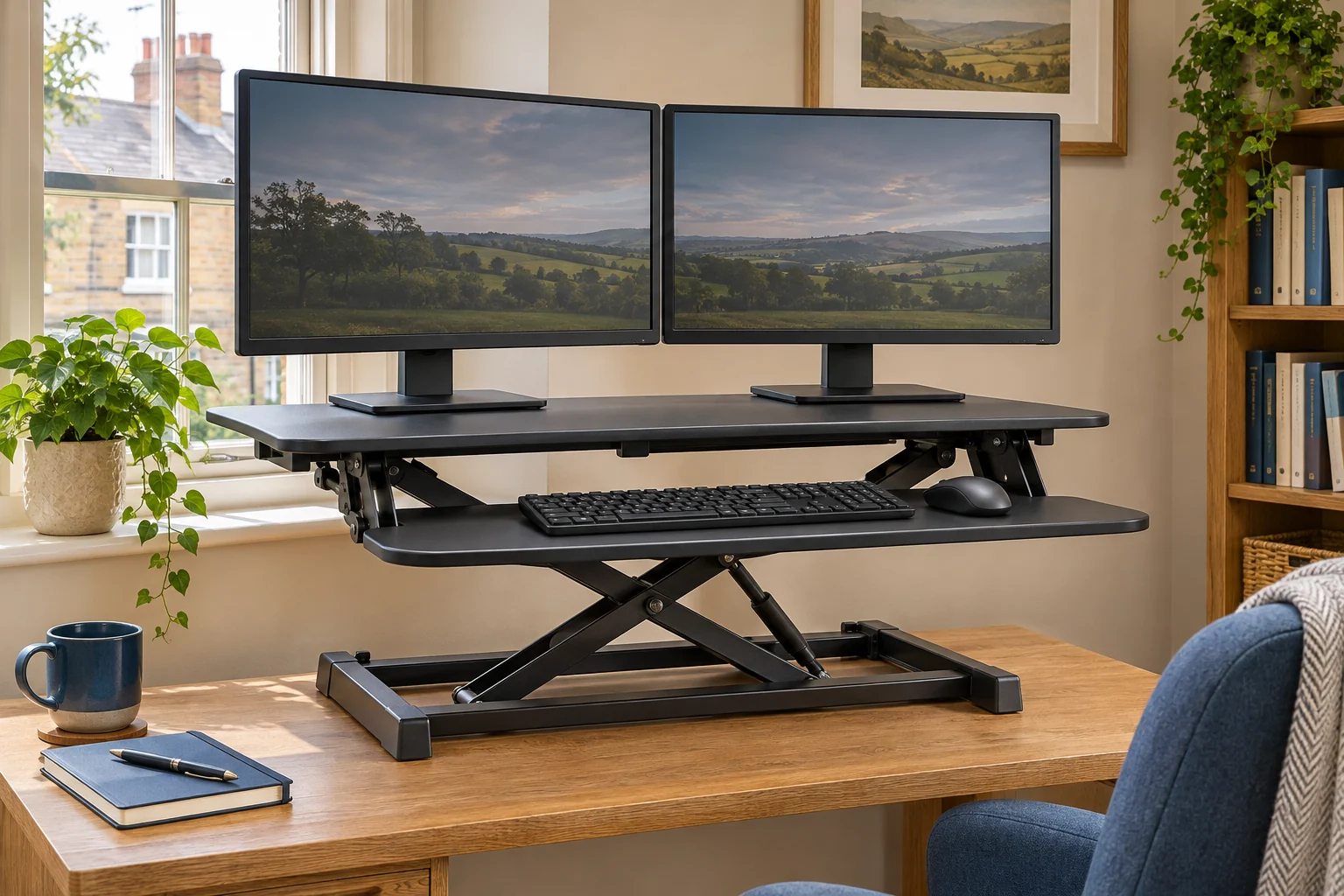
The fit comparison
Compare the published fit limits
Use each model’s own drawing for the base and movement path. The two separate surfaces have independent load limits.
Scroll across the table for every fit check.
| Model | Screen platform | Separate loads | Fit check |
|---|---|---|---|
| Duronic DM05D1 BK A wider platform | 92 × 56 cm upper platform | 15 kg upper, 2 kg tray | 94 × 62 cm base; moves forwards as it rises. |
| FlexiSpot two-tier converter, black Single-lever height adjustment | 90 cm wide stated; confirm usable depth | 15 kg upper, 2 kg tray | Ask for the base and movement drawing. |
Measure the stands before the screen diagonals
Set both monitors in the arrangement you want to use. Measure the outermost points of each original stand, including feet that project forwards or backwards. Then trace both footprints on the proposed upper platform. Keep every support point on the flat surface and leave room for the stand to sit securely when the converter moves. Check the viewing angle from the chair as well as the standing position.
The picture widths matter separately. Two screens can extend beyond the platform while their stands remain supported, but you still need room for the outer corners and plugs. Check the manufacturer’s instructions for permitted positions and balance. If you want to replace the stands with a dual arm, confirm the converter’s approved mounting area and load conditions for that fitting.
Duronic DM05D1 BK for a deeper upper platform
The DM05D1 BK has a 92 × 56 cm screen platform and a 91 × 29 cm keyboard shelf. Duronic gives a 94 × 62 cm base footprint. Mark that larger support area on your existing desk before placing the unit. The main platform is rated at 15 kg and the keyboard shelf at 2 kg.
A wider platform
Duronic DM05D1 BK
The 92 × 56 cm main platform gives a larger screen and peripherals more surface. A separate keyboard tray rises with it.
Measure the 94 × 62 cm footprint and allow room for the tray to travel forwards as it rises. Include the converter and its equipment in the load on your existing desk.
- 92 × 56 cm platform
- 16.5–41.5 cm main platform height
- 2 kg tray limit
Duronic describes forward movement as the converter rises. Trace the keyboard shelf at its farthest position, especially if the desk faces a walkway. Its selected Amazon listing gives 16.5–41.5 cm above the desk for the main surface. Measure the keyboard shelf at your seated and standing settings independently.
FlexiSpot black two-tier riser with a single lever
The selected black FlexiSpot listing states a 90 cm-wide upper tier and a 30 cm-deep keyboard tray. It gives 15 kg for the upper surface and 2 kg for the tray, with a listed 12–50 cm adjustment range. Ask the seller which surface that range describes and request a drawing of the usable upper depth and base.
Single-lever height adjustment
FlexiSpot two-tier converter, black
The selected black riser has a stated 90 cm-wide upper platform, a separate keyboard tray and gas-spring adjustment.
Ask for a dimension drawing of the usable upper depth, base and travel. Check both monitor stands and each level’s load limit.
- 90 cm-wide upper platform listed
- 15 kg top, 2 kg keyboard tray
- 12–50 cm listed height range
The overview measurements use inconsistent width and depth ordering. Use a labelled drawing to check both stands rather than relying on that summary. A narrower front-to-back platform can suit shallow monitor bases, but it still needs enough space for plugs, stand feet and the cable route at every height.
Check loads and travel in the final arrangement
Weigh both screens with their stands, along with anything else carried on the upper surface. Two 5 kg monitors and a 1 kg dock make an 11 kg upper load. A keyboard, mouse and other items on the lower tray count against its separate limit. Add the converter’s own weight and all equipment when checking the existing desk’s capacity.
Follow the converter’s instructions for loading and lifting. Run the cables with enough slack for the highest position and a clear resting place at the lowest. Try typing in both positions with the chair and screen set. If the lowest tray position already feels high, use the converter and moving-desk comparison before ordering.
Common questions
Will two 27-inch screens fit on a converter?
Measure both stand footprints and the outer screen corners. Confirm the platform, load distribution and room clearance for the actual monitors.
Does the keyboard tray share the top’s weight limit?
Check both limits. The examples here each list a separate 2 kg keyboard tray allowance.
Can I clamp a dual arm to the converter?
Use the converter maker’s approved fitting and location. Include the arm and both screens in the appropriate load calculation.
How large does the supporting desk need to be?
It must support every base contact point and the combined load. Check forward travel and tray projection as well.
What if the converter feels too high while seated?
Measure the lowest keyboard surface and your comfortable key height. Compare a moving desk if the seated position cannot fit.
Sources and selection
Sources and Amazon UK listings checked in November 2026. Fit examples use published specifications and measurements to take in your own room. The selected Amazon UK listings supply the product specifications for FlexiSpot two-tier converter, black.