
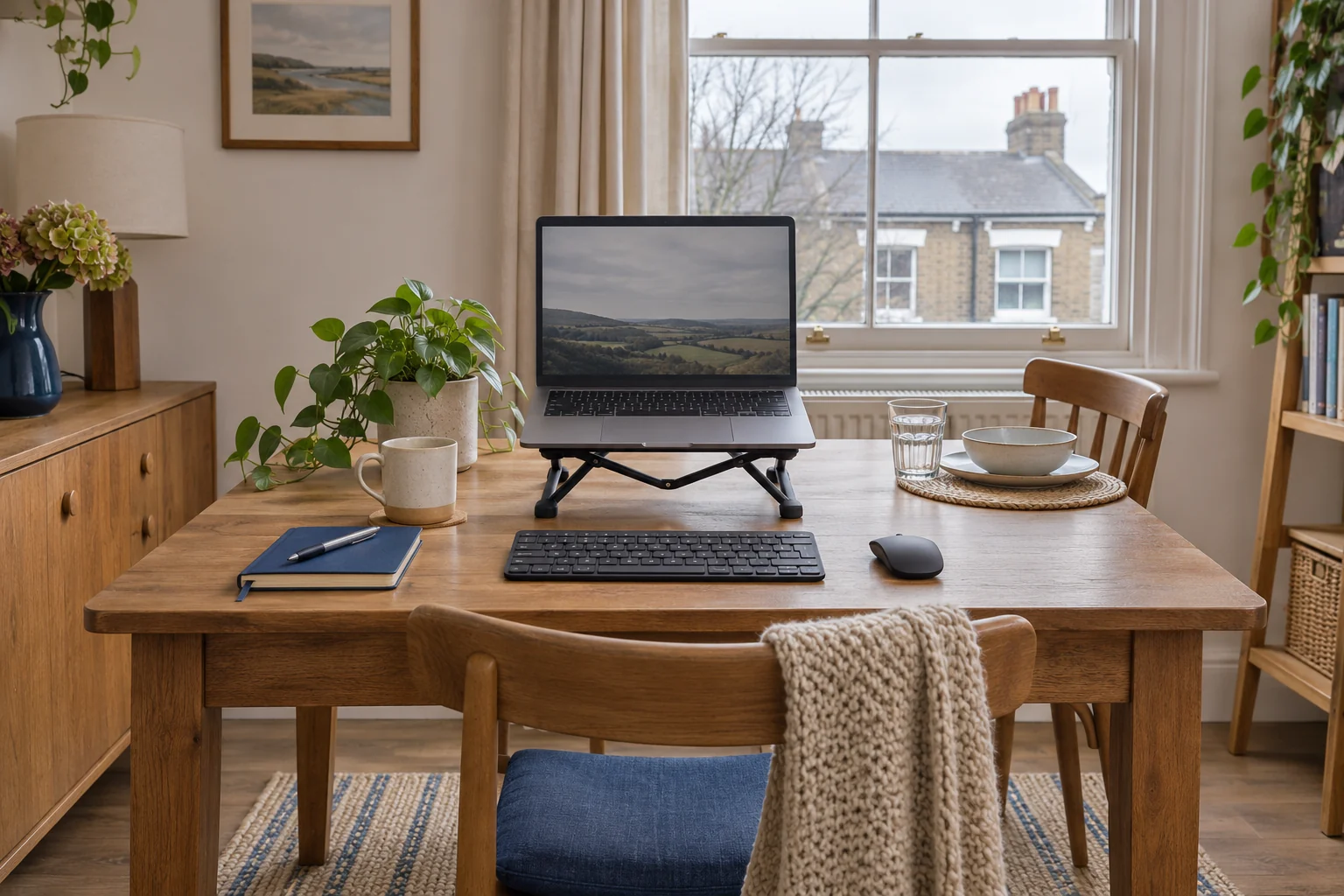
Start with the chair and the table apron
Sit at the part of the table you intend to use. Choose a stable chair that lets you sit back. Put your hands where the keys will be and see whether you have to raise your shoulders. Dining chairs and tables are usually chosen as a pair for meals, so check the difference between their dimensions and the position you need for typing.
Measure from the floor to the lowest part of the table apron. Check how far back it sits and what your thighs pass beneath when you move in. An apron 7 cm below a 75 cm top can make the useful space much smaller than the top height suggests. Measure under-desk clearance using the same steps. If the chair or apron makes a working position difficult, try another end of the table or a different chair before adding accessories.
Place the laptop screen and keys separately
Set the keyboard and mouse where you can reach them without leaning. Put the screen beyond them, at a readable distance, then check glare from the window or pendant light. Working at the end of the table can give you depth, though it may make the table leg or cable route less convenient. Try it on an ordinary call or typing task.
The folding UGREEN 40289 can raise a compatible laptop and pack into a small storage box at the end of the day. Use a separate keyboard and mouse for longer work. Check that the laptop’s feet, vents and plugs remain clear.
A stand to pack away
UGREEN 40289 folding stand
The silver 40289 folds into a narrow bundle and has five raised positions. It suits a desk or table you clear between sessions.
Trial the laptop’s support points, front lip, vents and cable exits at the chosen setting. Diagonal screen size alone leaves those details unresolved.
- Five height settings
- About 4.7–13.8 cm listed lift
- 27 × 5.5 × 2.7 cm folded
Check whether your feet need support
If you need a higher seat to reach the keys, test a stable chair with support under both feet. Measure the gap beneath your soles in that position. Confirm that your legs still clear the apron and that there is room for the footrest on the floor. A platform set too high can bring your knees up into the underside.
The Kensington SoleMate Plus gives a published 8.9–12.7 cm platform height. It suits a gap within that range if the base fits between the legs. Try another chair or work surface if you would need to force the fit.
A rigid tilting platform
Kensington SoleMate Plus
A rigid platform with a foot-operated adjustment suits a seated setup where you want to change the angle without moving the base.
The listed height is about 9–13 cm. Check the outside base on your floor and measure the part of the tilted platform where your feet actually land.
- 8.9–12.7 cm listed height
- Up to 30° tilt
- Foot-operated adjustment
Give the table a quick reset
Keep a box or bag close by for the keyboard, mouse, charger and folded stand. Route the power lead on the side of the table away from the normal walkway. Keep it clear of chair legs and remove it completely before the table returns to dining. If the only outlet route crosses a path, try the other end of the table before settling on the layout.
Unplug the laptop and remove it from the stand before folding the stand. Use a clean place to put the equipment away from drinks and food. Check the time it takes to reset after a call. A routine you can do in one trip usually stays practical when several people use the table.
Common questions
What is the first thing to check at a dining table?
Check keyboard height with relaxed shoulders and the thigh clearance under the apron.
How should I raise the laptop?
Use a stable stand that fits its case. Add a separate keyboard and mouse for longer sessions.
What if my feet dangle?
Try stable foot support at the gap you measure and recheck the space above your thighs.
Where should the charger go?
Keep it and its lead clear of feet and walkways. Choose a position that lets you remove the lead when the table is cleared.
What should I pack together?
Keep the stand, keyboard, mouse and leads in one place and store the laptop securely nearby.
Sources and selection
Sources and Amazon UK listings checked in November 2026. This guide uses published specifications and fitting guidance.