
Find where the movement starts
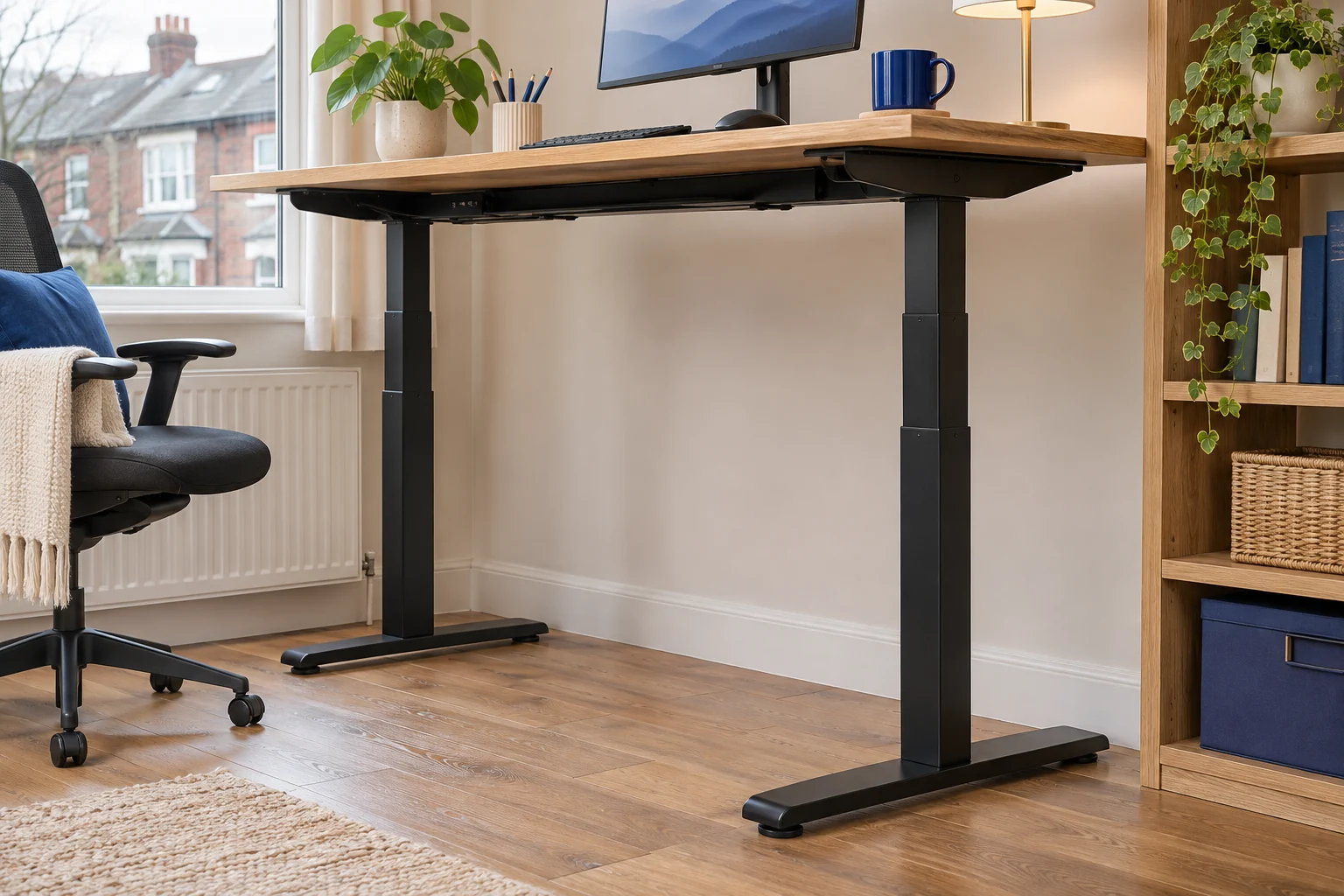
Compare the desk during the same light typing task at seated and standing height. Keep the equipment in the same place. Use a point on the wall as a reference to watch the feet, columns and worktop. If a foot lifts or rocks, check the floor and levelling. If the legs stay planted and the top shifts at a joint, check the frame or top attachment. If the top stays still while the monitor moves, inspect the monitor mount separately.
Avoid pushing or shaking a loaded desk to test it. If the desk tilts, a fixing slips or the frame moves unevenly under power, stop using it and follow the manufacturer’s instructions. Clear and support the equipment before adjusting any connections.
Check the contact at each foot
The complete Desktronic HomePro has a 140 × 70 cm top on a three-stage frame. Check both feet are fully supported on the actual floor and that the desk is clear of a skirting board or rug edge. Follow the maker’s guidance for levelling. After a change, compare the same task at both heights.
For a wider height range
Desktronic HomePro 140 × 70, grey and walnut
A 140 × 70 cm electric desk with a one-piece 25 mm top and a three-stage frame.
Check the finished height against both users and confirm the supplied revision if a height limit is critical.
- 140 × 70 cm top
- 63.5–128 cm maker range
- Three memory presets
If one foot sits on hard flooring and the other on a soft mat, try a suitable level position where both feet have the same support. Check that a cable or object is clear of the feet. Use the manufacturer’s assembly drawings to verify fasteners with the equipment removed as directed.
Check extension, load and monitor reach
The compact FlexiSpot E1 Plus has a listed 100 × 60 cm top. A smaller top can use less floor area, while its stability still depends on the floor, the frame and what it carries. Look for a heavy item near the edge or an arm extended well away from the nearest support.
A one-piece top
FlexiSpot E1 Plus 100 × 60
The 100 × 60 cm E1 Plus version pairs a single-piece white top with four memory settings.
The seller’s height range starts at 73.5 cm. Match that minimum to your seated keyboard target and confirm the assembled floor-to-top range if you are close to either limit.
- 100 × 60 cm top
- 73.5–118 cm listed height
- Four presets
If the equipment can be moved safely and the desk maker approves the arrangement, try placing it closer to the supporting frame. Recheck cables and ventilation. The monitor-arm wobble guide explains how to tell whether the screen mount amplifies the desk’s movement.
Repeat the same check after each change
Make one adjustment at a time so you can identify what changed. Compare the same typing task and screen position at the heights you actually use. If there is persistent play in a column or the worktop shifts relative to the frame, take it out of use and ask the maker how to inspect or service that model.
To compare the desk with the screen mount, watch a fixed point on the desktop and the top of the screen during the same task. If the desktop stays nearly still but the screen moves, inspect the stand or arm according to its manual. Use the monitor-arm wobble guide for that check.
Common questions
Why is it more noticeable when the desk is high?
The extended frame and any long monitor reach can make movement more visible. Check the floor and fixings first.
How do I tell if a foot is rocking?
Watch each foot during a normal task. Check the whole pad against the floor and use the maker’s levelling guidance.
Could the monitor arm be causing the movement?
Check whether the top stays still relative to the wall. If only the screen moves, inspect the arm and its fixing.
Should I tighten every bolt?
Use the maker’s assembly instructions and specified tools. Support or remove the equipment as directed before adjustments.
What if one side rises unevenly?
Stop the desk and follow the manufacturer’s fault and clearance checks before using it again.
Sources and selection
Sources and Amazon UK listings checked in November 2026. Dimensions and fit checks use published specifications. Published specifications for FlexiSpot E1 Plus 100 × 60 come from the selected Amazon UK listings.