
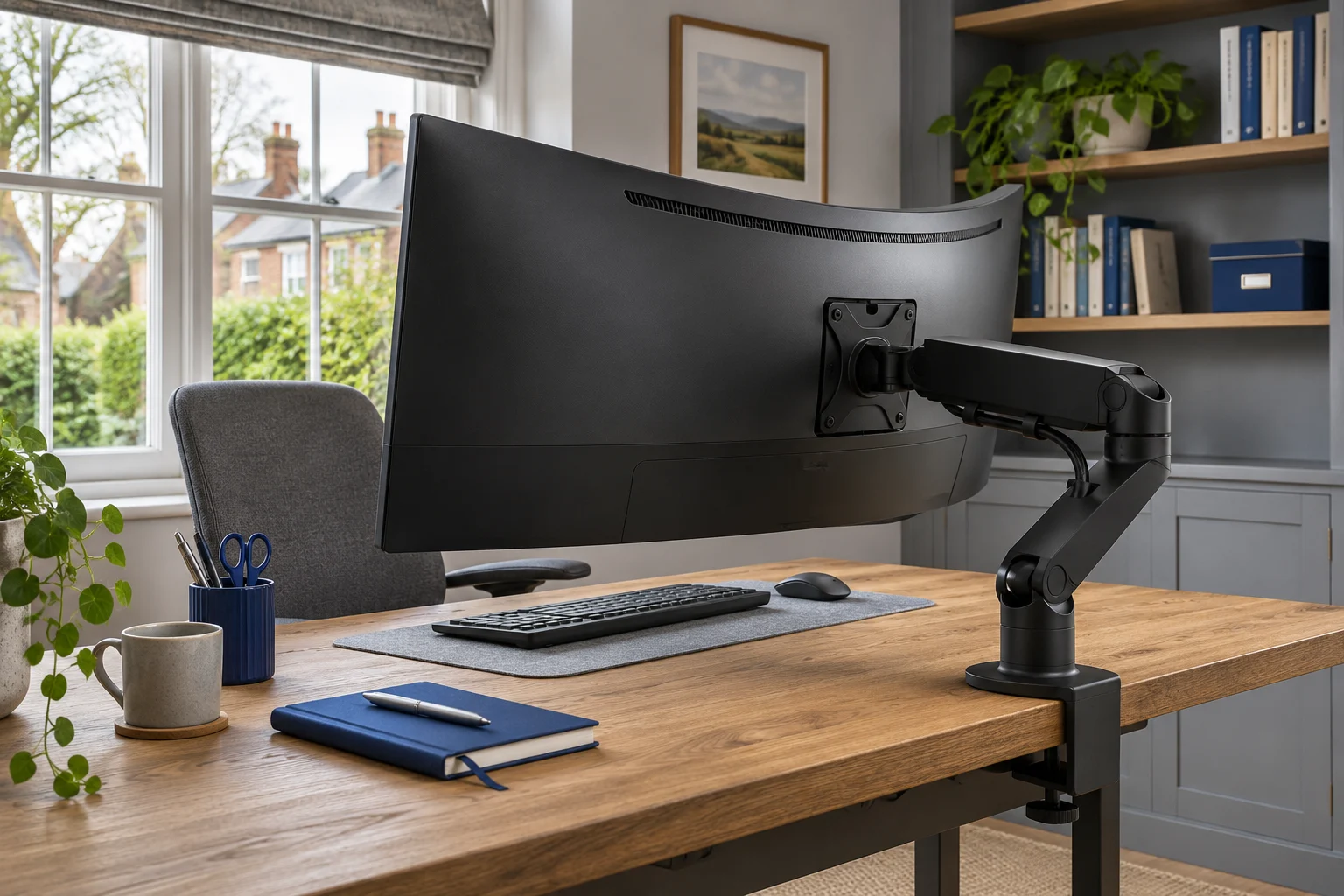
The fit comparison
Compare the published fit limits
Compare the published fit limits. Match the exact screen, supplied mount revision and desk before choosing. All use 75 × 75 or 100 × 100 mm VESA fixings.
Scroll across the table for every fit check.
| Mount | Screen | Weight | Clamp | Wall check |
|---|---|---|---|---|
| Invision MX450 A larger or heavier screen | 24–40″ | 2–15 kg | 10–90 mm | Check the elbow sweep and support under the clamp. |
| VIVO STAND-V001 Set the height and leave it | 13–32″ standard; up to 38″ ultrawide | Up to 22 lb (about 10 kg) | 10–82 mm; confirm supplied manual | Allow for folding joints; 406 mm maximum published reach. |
| Ergotron HX with HD Pivot A specialist deep curved display | Typically up to 49″; exact model check | 12.7–19.1 kg in stated curved configuration | 10–66 mm, configuration dependent | Substantial base and 600 mm published reach; plan full sweep. |
Why an ultrawide needs more than a weight check
An ultrawide screen can be relatively light, unusually deep, very wide, or all three. The weight range tells you whether an arm is rated to carry the load in its stated configuration. It does not tell you whether the tilt head can hold the screen’s forward leverage or whether the assembly has enough room to move on your desk.
A curved casing can place the screen’s centre of mass further forward of its mounting plate. That increases the turning effect at the tilt joint. This is why a display can be below an arm’s maximum weight yet still require an upgraded head or an explicit model approval. Ask the arm maker about the exact monitor code and any required VESA adapter.
Keep four figures together: bare-screen weight, diagonal and aspect ratio, overall depth, and mounting-hole pattern. For deep curves, record the curvature as well. A generic “fits 49-inch” claim is not a substitute for matching the particular display and pivot configuration.
Options for a moderate ultrawide
Invision MX450: an adjustable option within the current range
The current MX450 version in this comparison is the 24–40 inch, 2–15 kg model. Its gas-assisted movement can suit a compatible wider screen that you reposition regularly. The minimum load still matters: choosing a stronger spring for reassurance can be unhelpful if the monitor is too light to balance it.
A larger or heavier screen
Invision MX450
The MX450 handles a wider size and weight range. It is the shortlist option for a compatible display above the MX200’s 9 kg limit, provided the desktop and tilt head can take it.
The longer arm needs room to move. If your screen is deeply curved, ask Invision to confirm the exact model with the tilt head. Check for the 24–40 inch, 2–15 kg revision.
- 24–40″
- 2–15 kg
- VESA 75 × 75 or 100 × 100 mm
Its 630 mm maximum reach is useful when a screen needs to move forward, but that also changes the load on the desktop attachment. Check the arm in the actual viewing position. On a shallow desk, the edges of a curved display can sit noticeably nearer your eyes than the centre, so measure your usable keyboard space and viewing distance rather than just the rear gap.
VIVO STAND-V001: a mechanical alternative
The V001 publishes support for standard screens up to 32 inches and compatible ultrawides up to 38 inches, within its 22 lb load limit. It can make sense when you want a stable working height with occasional repositioning. Its pole adjustment is mechanical, so support the display before releasing the collar.
Set the height and leave it
VIVO STAND-V001
A mechanical pole arm gives one screen reach and swivel without a gas spring to balance. It suits a working position you adjust occasionally rather than several times a day.
Support the screen before releasing the height collar. The website and manual differ slightly on maximum clamp thickness; confirm your supplied instructions near the limit. Curved screens need model-specific confirmation.
- 13–32″ standard; up to 38″ ultrawide
- Up to 22 lb (about 10 kg)
- VESA 75 × 75 or 100 × 100 mm
Treat the ultrawide size statement as one filter. Check the exact curved model, adapter and tilt demand with VIVO. Its mechanical height adjustment removes a spring minimum from the decision, but does not remove limits on the head, arm, VESA plate or desk.
A specialist option for heavy, deeply curved displays
Ergotron HX with HD Pivot: match the full configuration
The product here is the complete matte black 45-647-224 arm with the HD tilt pivot. It is not an ordinary HX arm assumed to include that pivot, and it is not a separately sold replacement head. That distinction matters when comparing listings and prices.
A specialist deep curved display
Ergotron HX with HD Pivot
A complete HX arm with the heavy-duty tilt pivot for a specific class of heavy, deeply curved ultrawide. Consider it only after matching the exact screen to Ergotron’s compatibility guidance.
The published HD configuration is for 12.7–19.1 kg, 1000R curved displays 15.2–30.4 cm deep, typically up to 49 inches. A lighter flat screen is not an automatic fit. Confirm your exact monitor, adapter and desktop.
- Typically up to 49″; exact model check
- 12.7–19.1 kg in stated curved configuration
- VESA 75 × 75 or 100 × 100 mm
Ergotron’s published configuration covers 1000R curved displays 15.2–30.4 cm deep and weighing 12.7–19.1 kg, with a typical size up to 49 inches. Those conditions describe a specific use case. They do not make it a universal recommendation for every 49-inch screen, newer display revision or lighter flat monitor. Obtain model-specific confirmation where the monitor differs from the stated envelope.
The HD head also has a narrower published tilt range than many ordinary arms: +15°/−5°. Check whether that meets your position before buying, especially if you want the screen unusually high or low. Lift travel is not the same as the final screen-centre height; both depend on the whole arrangement.
Check the whole installation before lifting a large screen
Desktop approval comes before reinforcement accessories
Large displays and heavy arms put substantial loads through their attachment. Find the furniture maker’s instructions for the exact worktop and frame. Record the top’s construction, fixing position and any underside obstruction. A published maximum desk load is not necessarily permission for a concentrated monitor-arm clamp.
For the HX standard clamp, Ergotron’s dimensional drawing shows a 10–66 mm thickness envelope across its configurations. The correct bracket position and full bearing area matter. Use the supplied instructions and our clamp measurement guide rather than choosing solely from a thickness figure.
Map the width, sweep and cables
Mark the screen’s outer width and front edge on the desktop. Then check the paths those edges follow as the arm swivels. A window reveal, shelf or sloping ceiling can stop movement long before the arm reaches its own mechanical limit. Include the plugs and cable bends behind the casing.
Check weight without the stand and any adapters before installation. Use the monitor maker’s approved handling method and the help it specifies for lifting. Some curved screens must remain in their protective packaging during assembly; do not lay them face down on a flat surface unless their instructions allow it.
If the desk cannot take the proposed fixing, reconsider the furniture or retain the original stand. A freestanding replacement has its own size, weight, position and stability limits; it is not an automatic alternative for a very heavy curved display.
If your screen already tips on its arm, check which joint is moving before choosing another mount.
Common questions
Will an arm rated for 15 kg hold any 12 kg curved monitor?
Not automatically. The screen must also meet the stated size, VESA, depth and tilt-head conditions. Ask the manufacturer to confirm the exact curved model and adapter.
Is the Ergotron HX HD suitable for a light flat screen?
The configuration compared here is published for a particular heavy curved-screen range, including a 12.7 kg minimum in that configuration. Do not assume that a lighter flat screen will balance or tilt correctly.
Does a 49-inch rating include every 49-inch monitor?
No. Different models can have different bare weights, curvature, depth and adapters. Match the full model code, including any revision, to the arm maker’s guidance.
Can I add a reinforcement plate to a hollow desk?
A plate may spread contact, but it does not prove the internal structure can support the installation. Obtain approval from the furniture maker for the exact top, arm and screen load.
Why does the monitor slowly tilt down?
Stop using an unstable arrangement and check the exact model approval, load, supplied pivot and adjustment instructions. Do not keep overtightening a joint beyond the maker’s instructions to compensate for an unsuitable screen.
Sources and selection
Specifications and Amazon UK configurations reviewed in November 2026. Recommendations compare published fit information. Check the current listing and instructions supplied with the exact model.