
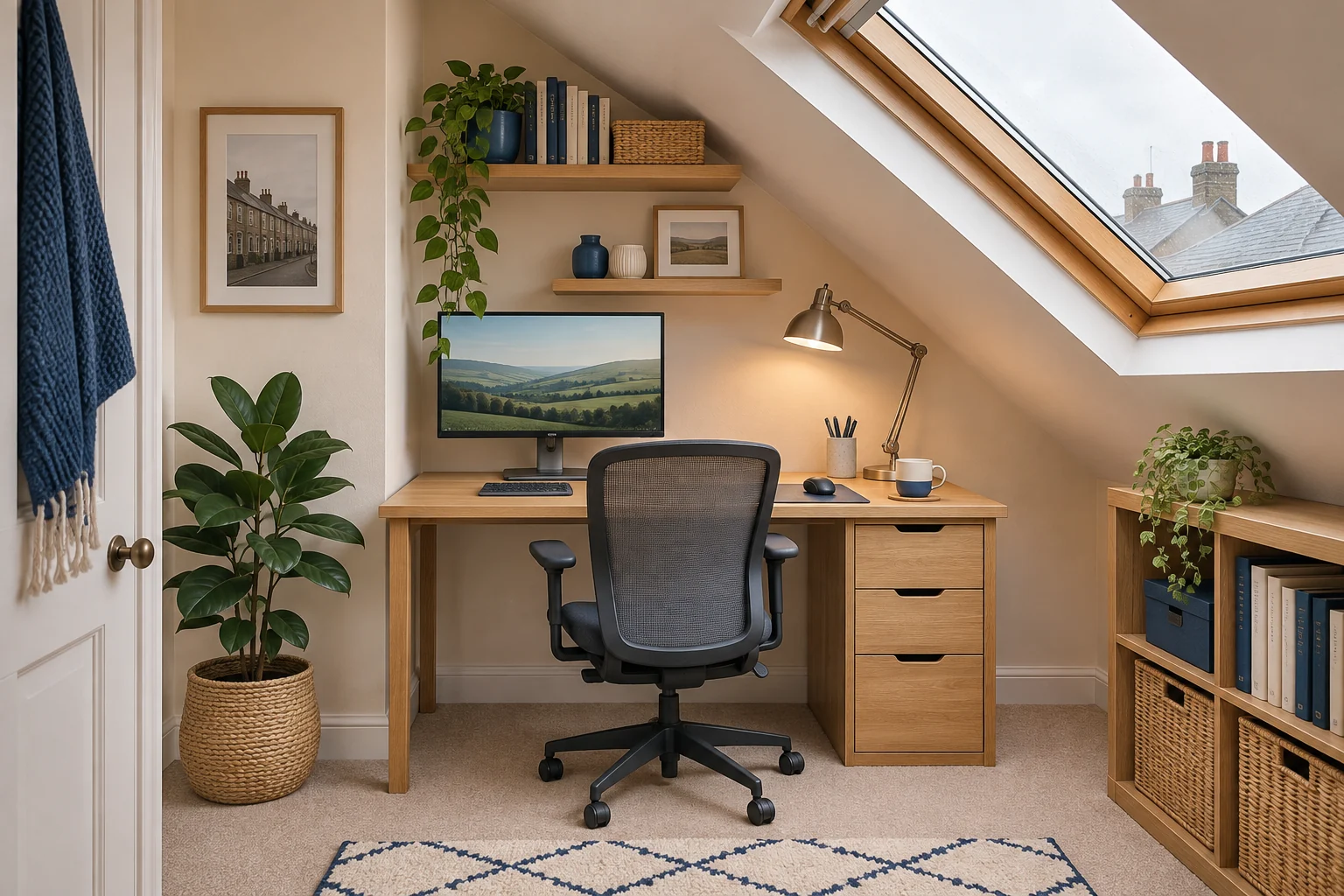
Draw a side section through the room
Mark the desk edge and measure from floor to ceiling at the wall, desk back, front and chair position. Add the route you take to sit down and stand up. Repeat across the width if a beam or roof window interrupts the slope. Write down the lowest point where your head or equipment will actually pass.
For example, a 160 cm height at the back and 205 cm at the chair does not tell you whether you can stand with the chair pulled out. Mark the standing spot and walk in from the usual direction. Check the beam, window handle and any pendant while looking ahead as you would normally. Keep the clear approach on the taller side.
Plan the desk and chair on the taller side
A 100 × 50 cm VASAGLE LWD40X can help you test a compact fixed surface. The 75 cm height still needs to suit your chair and keyboard. Move the floor outline away from the slope until the monitor and plugs clear, then test whether there is room behind the chair to stand up.
For a compact open front
VASAGLE LWD40X writing desk
A 100 × 50 cm surface and open front suit a compact laptop or single-screen arrangement.
Check the rear bracing, the 75 cm working height and the usable depth with cables in place.
- 100 × 50 cm top
- 75 cm worktop
- Open front with rear bracing
A narrower desk can be easier to position between a roof support and wall. Keep the top and legs clear of skirting and heater controls. A low part of the room can work for reachable storage if it stays outside the route to the chair.
Check the screen’s top corners and its base
Measure from the worktop to the monitor’s highest corner in the position you will use. Count the stand and any adjustment. Add the desk height and compare that total with the ceiling at both top corners. A screen that clears when centred can meet the slope when it turns or slides towards the low wall.
The freestanding Duronic DM15D1 has a listed base of 36 × 22 cm and an overall mount height of 40 cm. Check the actual display position on the mount and trace the base on the desktop. Its overall mount height does not give the top of the mounted display. Follow the screen and mount instructions for weight, VESA and orientation.
A broad freestanding base
Duronic DM15D1
A replacement upright stand for one compatible screen when you cannot attach a clamp. The published UK base footprint gives you a useful starting point for a paper template.
Use the manual-backed 8 kg limit and ±15° tilt; some manufacturer page text conflicts. UK published base is 36 × 22 cm. Confirm the current variant dimensions and desired screen-centre height before ordering.
- 13–32″
- Up to 8 kg
- VESA 75 × 75 or 100 × 100 mm
Allow for movement and lighting
If you use a sit–stand desk, draw the top of the monitor and the desk at the highest intended setting. Check the full travel against the ceiling, beam, window and light fitting, then test according to the desk instructions with the route clear. A seated-only layout can suit a space where standing travel will not fit.
Test glare from any roof window and check that you can still reach the blind. Keep sockets reachable and cable loops away from the chair. Leave the circulation route clear before committing to a position.
Common questions
Which way should the desk face under a slope?
Choose the orientation that gives you headroom on the approach and while standing. Check screen and window clearances in that position.
Do I measure height at the wall or at the chair?
Measure both and add the desk’s front and back, the screen corners and the path you walk.
Can I fit a standing desk under eaves?
Check ceiling, screen and beam clearance through its intended travel. Confirm a usable standing spot beside it.
How do I check a portrait screen?
Measure its tallest corner and its sweep from the mount pivot. Check the ceiling throughout the turn.
What if the roof window causes glare?
Try repositioning the screen or suitable shading. Check that window and blind controls remain accessible.
Sources and selection
Sources and Amazon UK listings checked in November 2026. This guide uses published specifications and fitting guidance.