
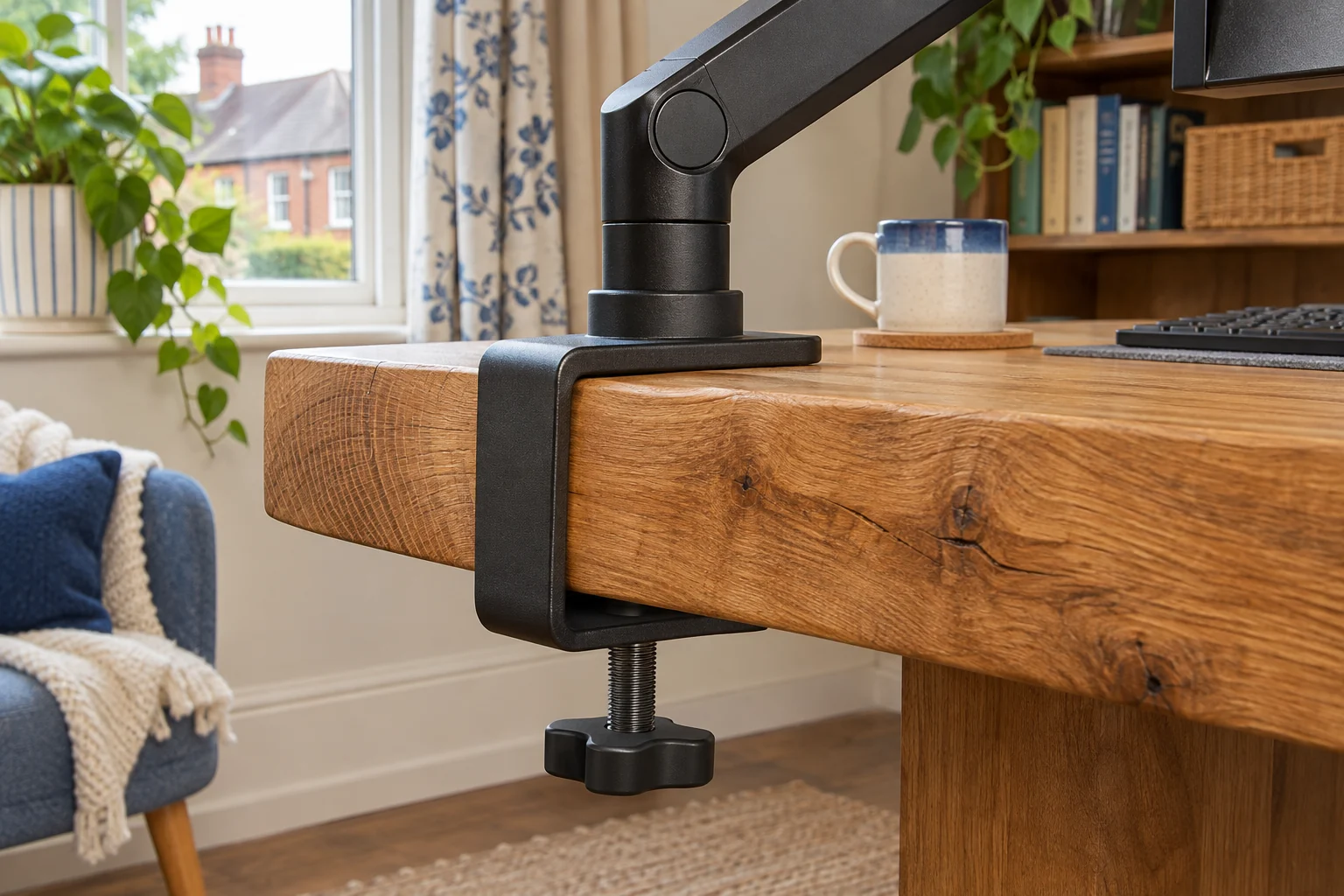
The fit comparison
Compare the published fit limits
Both documented Invision bases cover the same thickness range. The display sizes and load ranges differ. Confirm the base revision when the fit is close.
Scroll across the table for every fit check.
| Model | Screen fit | Load | Clamp opening |
|---|---|---|---|
| Invision MX200 An everyday adjustable screen | 19–32″ | 2–9 kg | 10–90 mm |
| Invision MX450 A larger or heavier screen | 24–40″ | 2–15 kg | 10–90 mm |
Measure the material the clamp will span
Use a ruler or callipers to measure from the top face to the flat underside where the lower pad will land. Take the reading at the depth shown in the clamp drawing. A decorative lip can make the front of a worktop appear thicker than the part the pad actually contacts. A bevel can prevent a pad sitting flat even when the thickness is in range.
If a reinforcement plate is approved by both manufacturers, include the two pads and their cushioning in the measurement. A worktop of 84 mm plus 7 mm of total added thickness gives 91 mm. That is outside a 90 mm opening. Use only the complete approved assembly. A longer fastener or partially engaged thread is outside the tested fitting.
Record the depth from the edge to the lower contact and the space below to reach the knob. If a rail, metal lip or drawer interrupts the path, use the rear-rail guide to map that separately.
Invision MX200 for a 19–32 inch display
The documented MX200 base lists a 10–90 mm clamp range. The arm is specified for 19–32 inch displays weighing 2–9 kg with VESA 75 × 75 or 100 × 100 mm. Confirm that the base in the box matches the manual before choosing a desk spot near either end of the range.
An everyday adjustable screen
Invision MX200
The gas-assisted arm suits a single compatible screen you move between tasks. It frees the desk from a broad stand and gives you a choice of edge clamp or through-desk fixing.
A centred clamp can leave the elbow in the way of the wall. Check whether the clamp can sit to one side while keeping the screen centred. Match the fitting diagram to the base supplied.
- 19–32″
- 2–9 kg
- VESA 75 × 75 or 100 × 100 mm
Check the bare monitor weight, including hardware the arm carries. If the screen has a deep rear shell or you use an adapter, check tilt and wall clearance as well as the clamp dimensions.
Invision MX450 for a wider load range
The documented MX450 base also lists a 10–90 mm opening. The 24–40 inch version is rated 2–15 kg. That makes it a candidate for a heavier compatible screen on the same thickness of desktop, subject to approval for the particular load and material.
A larger or heavier screen
Invision MX450
The MX450 handles a wider size and weight range. It is the shortlist option for a compatible display above the MX200’s 9 kg limit, provided the desktop and tilt head can take it.
The longer arm needs room to move. If your screen is deeply curved, ask Invision to confirm the exact model with the tilt head. Check for the 24–40 inch, 2–15 kg revision.
- 24–40″
- 2–15 kg
- VESA 75 × 75 or 100 × 100 mm
Confirm the desk maker’s permitted clamp point and load. The arm and screen put leverage on the worktop, especially when extended. Check the worktop material guide before fixing anything to a surface whose structure is unclear.
Choose a different mounting route if the edge cannot take a clamp
If the full stack is too thick or the pads cannot both sit flat, check an approved through-desk fitting or a freestanding mount. Use the through-desk maker’s hole and thickness requirements and the desk’s fitting guidance before reusing an existing hole. For a freestanding mount, trace the base and confirm that the worktop can support it fully. See the clamp and through-desk comparison to decide which measurements to take next.
Common questions
Where do I measure desk thickness?
Measure where both pads will contact the desk, including any approved plates or pads.
Is 90 mm the maximum for every MX200 or MX450 base?
Check the supplied base against the exact manual. The documented variants in the comparison list 10–90 mm.
Can I use a longer clamp screw?
Use the supplied or manufacturer-approved fitting. Ask the maker for a suitable alternative if the opening is too small.
Is a thick top always strong enough?
Check construction and permitted mount load. A thick outer edge can hide a hollow core.
What if my desk is over 90 mm thick?
Look for a fitting explicitly approved for that thickness or assess an approved freestanding or through-desk option.
Sources and selection
Sources and Amazon UK listings checked in November 2026. This guide uses published specifications and fitting guidance.