
Find out what the screen can accept
Read the full model code on the label, including the suffix. Use its manual to see whether the stand conceals mounting holes, clips into a proprietary socket or attaches to a case with no mounting interface. A maker-approved adapter for a proprietary socket can leave the bezel clear. Check whether it is approved for that exact model and whether the screen still needs the original stand parts.
If the manual gives a VESA pattern, check hole spacing across and down and see whether the rear casing recesses the holes. The VESA fit guide explains how to measure the recess and confirm screw length. Avoid drilling into a monitor case or trying longer screws on an undocumented fixing.
Map the cradle contact points
Measure the screen's outside width, height and depth at the proposed clip locations. A 24-inch label describes a diagonal and leaves the outer case and corner shape unknown. Draw the edge of the bezel and mark buttons, camera, vents and cable ports. Use the adapter drawing to work out where each pad lands and where its arms cross the back. All clips need a firm approved contact on the housing. A narrow or rounded bezel can put a pad over the panel or let a clip shift.
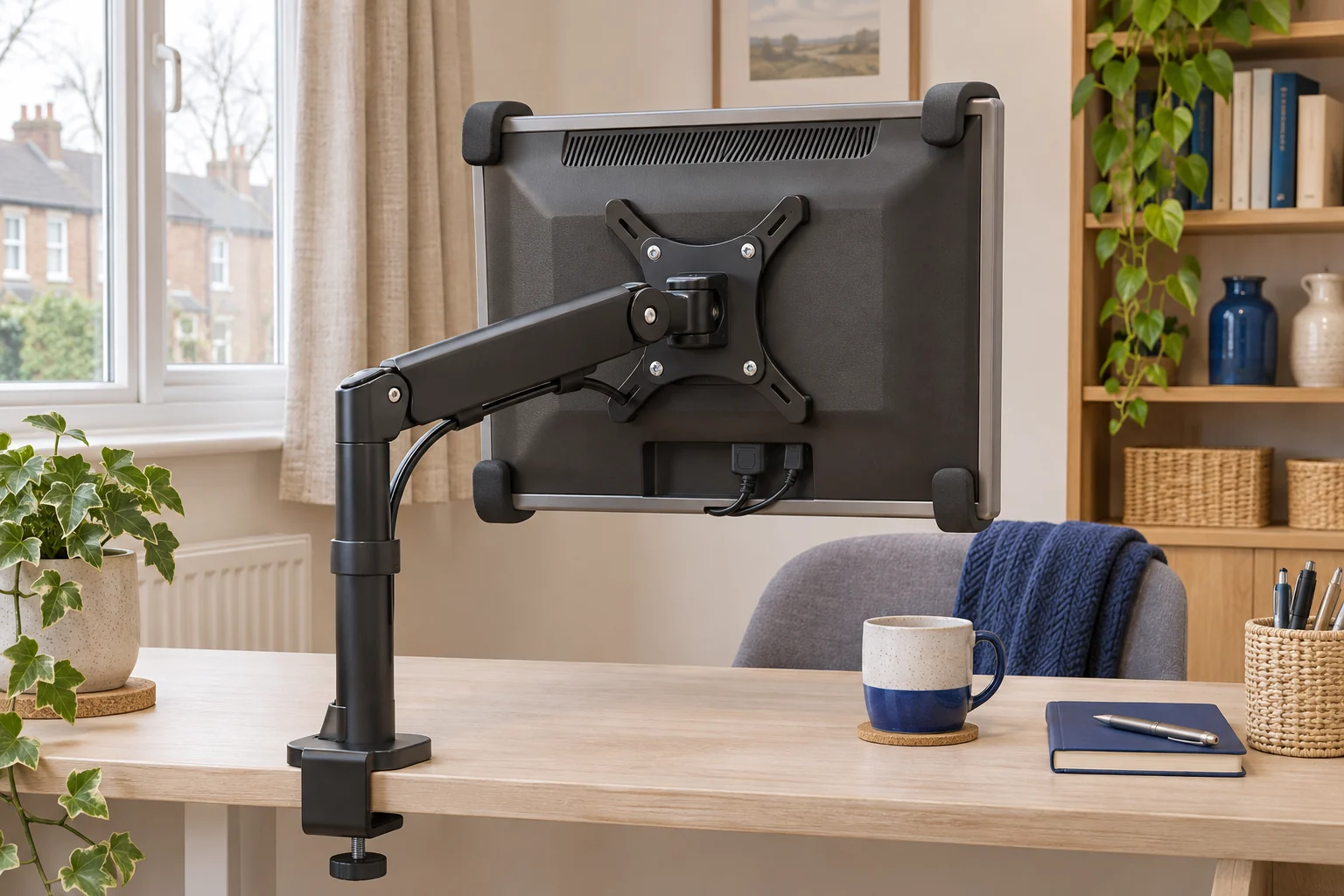
The Duronic DMAD1NV is a four-clip adapter for compatible flat displays up to 27 inches and up to 8 kg. Check the full case against the maker's drawing. Confirm space to reach each port with the adapter fitted. Choose the original stand or an approved model-specific option if a clip would contact the display or a cover would block ventilation.
For compatible flat cases
Duronic DMAD1NV non-VESA adapter
A four-clip cradle supports a compatible flat monitor and provides a VESA mounting interface.
Check the case profile, all four contact points and access to sockets before adding the adapter to an arm.
- Up to 27″
- Up to 8 kg screen
- 75 × 75 or 100 × 100 mm
Check the adapter and arm as a pair
The adapter's screen limit and the arm's load range are separate. Add the weight of the adapter and all mounting hardware to the screen-only weight. For example, a 7.4 kg screen and a 0.9 kg adapter total 8.3 kg. That may be within a 2–9 kg arm's range, but you still need compatible holes, safe clip contact and clearance for the increased depth.
The Invision MX200 has 75 × 75 and 100 × 100 mm mounting options and a 2–9 kg published range. Use those numbers as a starting point and ask about the exact screen, adapter and intended orientation. Matching hole spacing alone gives no assurance about the cradle fit.
An everyday adjustable screen
Invision MX200
The gas-assisted arm suits a single compatible screen you move between tasks. It frees the desk from a broad stand and gives you a choice of edge clamp or through-desk fixing.
A centred clamp can leave the elbow in the way of the wall. Check whether the clamp can sit to one side while keeping the screen centred. Match the fitting diagram to the base supplied.
- 19–32″
- 2–9 kg
- VESA 75 × 75 or 100 × 100 mm
Follow both makers' instructions for assembly and handling. Check cables with the screen supported, then move the display only within the approved range. Check the adapter maker's orientation guidance before rotating it. Keep the original stand and fittings together so you can return to a stable setup if the adapter is unsuitable.
Common questions
How do I know if the VESA holes are hidden?
Find the mounting section of the manual for the full monitor model code. It should show what is behind the stand or rear cover.
Can a universal cradle fit a borderless monitor?
Confirm the case and pad contact with the maker. Pads must land securely on an approved part of the housing.
Can I put a curved monitor in a non-VESA adapter?
Use a cradle only where its maker approves the exact case shape. Check the screen maker’s mounting options first.
Do I count the stand in the arm weight?
Use the weight without the original stand. Add everything you will mount on the arm, including the adapter.
Can I turn an adapted monitor to portrait?
Check that the screen, adapter and arm support that orientation together before trying it.
Sources and selection
Sources and Amazon UK listings checked in November 2026. This guide uses published specifications and fitting guidance.